
Connections link DaySchedule to the apps you already use. A connected calendar stops double bookings, a video app creates a meeting link for every booking, and a payment gateway lets people pay when they book.
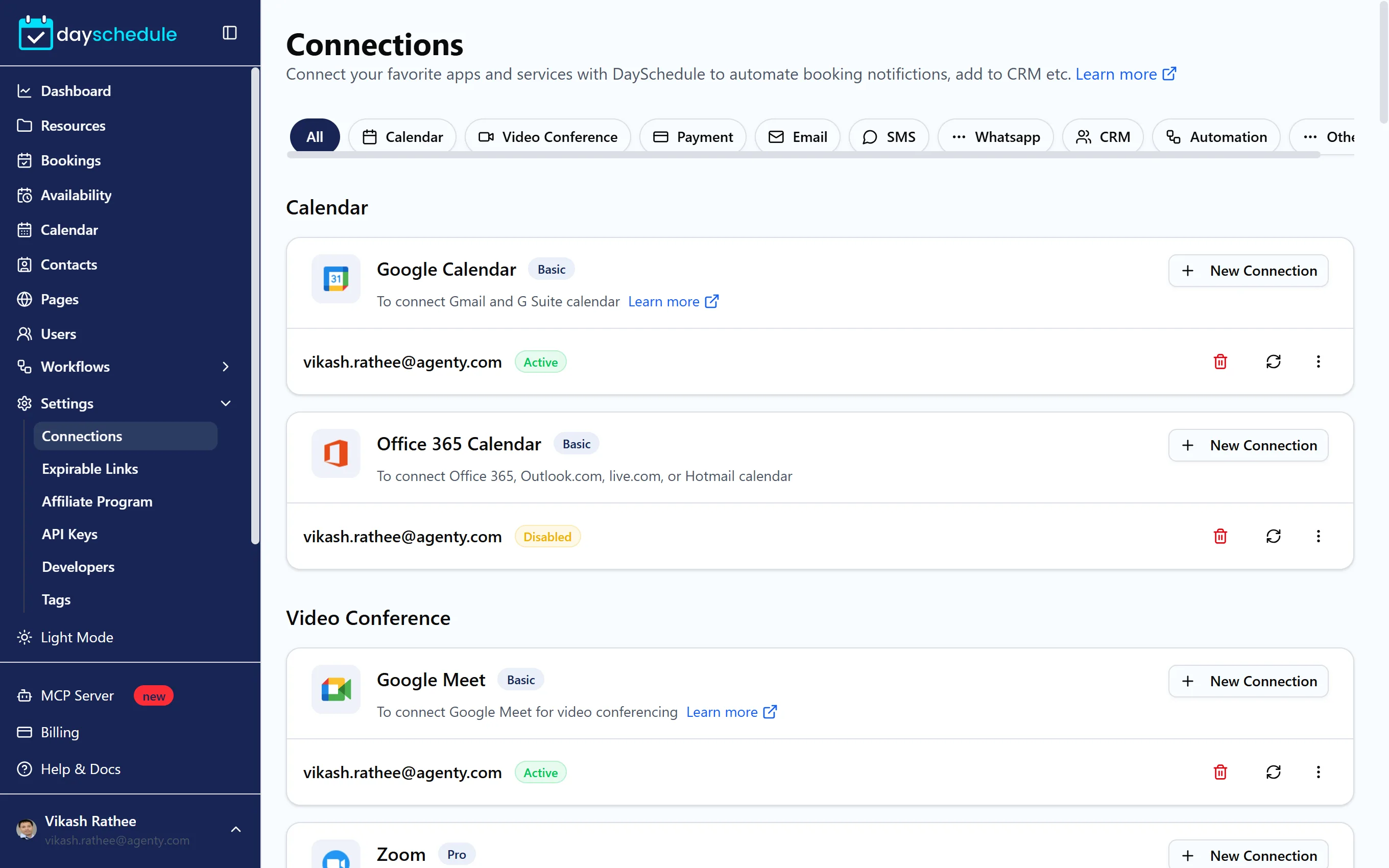
Open Settings, then Connections. Apps are grouped by category, and the filter at the top shows All, Calendar, Video Conference, Payment, Email, SMS, Whatsapp, CRM, Automation or Others.
Connect an app
- Find the app and click New Connection.
- Sign in to the app and allow access, or enter its API details when asked.
- The connection appears under the app with its status, such as Active.
Each app shows the plan it needs, such as Basic or Pro, and a Learn more link to its setup guide. On the free plan you can have one connection.
What each category does
| Category | Apps | What you get |
|---|---|---|
| Calendar | Google Calendar, Office 365 Calendar (Outlook.com, live.com, Hotmail) | Busy times block slots, bookings are added to your calendar. See Google Calendar and Outlook |
| Video Conference | Google Meet, Zoom, Microsoft Teams, Zoho Meeting, Webex, GoTo Meeting, Join me | A unique meeting link for each booking. See Zoom, Microsoft Teams and meeting locations |
| Payment | Stripe, PayPal, Razorpay, Cashfree, Mollie | Payment when booking. See Stripe, PayPal and Razorpay |
| Gmail | Send workflow emails from your own address. See send from Gmail | |
| SMS | Twilio, MSG91 | Text reminders from your own sender. See SMS reminders |
| Whatsapp (Meta API), Wati, AiSensy | WhatsApp reminders from your own number. See WhatsApp reminders | |
| CRM | HubSpot, Zoho CRM, Pipedrive | New bookings as contacts or leads in your CRM. See HubSpot and Zoho CRM |
| Automation | Zapier, Make, Pabbly, Integrately, IFTTT, Pipedream | Connect DaySchedule to thousands of other apps. See Zapier, Make, n8n and Pabbly |
The integrations page has the full, current list. Slack and Discord, listed under All, post booking notifications to a channel. See Slack and Discord.
Manage a connection
Each connection row has three actions:
- The refresh icon reconnects the app, for example when its status shows Disabled.
- The menu has Rename, useful when you connect several accounts of the same app, such as a personal and a team Zoom.
- The delete icon removes the connection. Events that used it stop creating meeting links or checking that calendar.
Every team member connects their own calendar and video app, so their bookings use their own accounts.
Related
- Connections overview
- Webhook integration for your own systems
- OAuth apps to build your own integration