
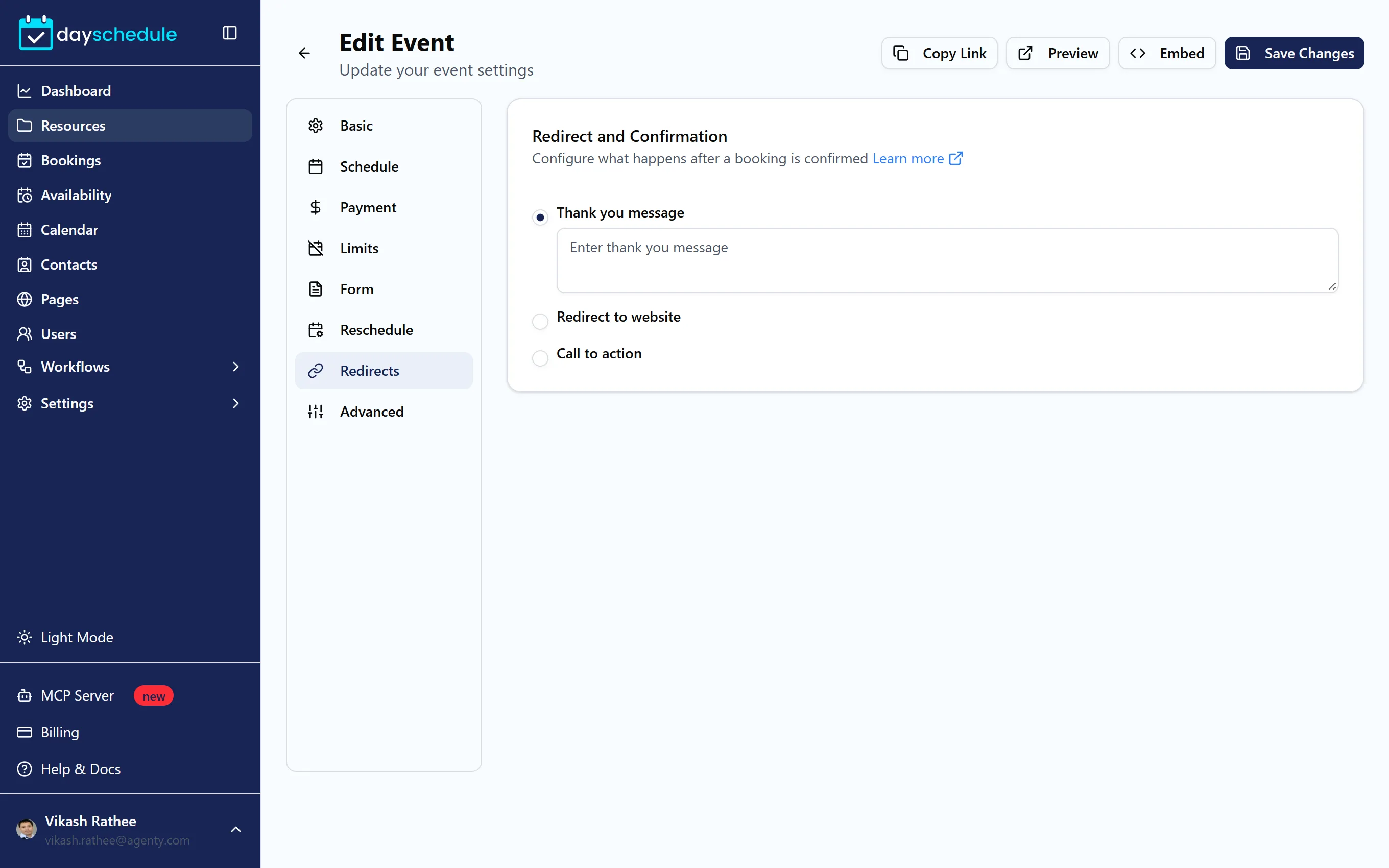
After an invitee books, DaySchedule shows a confirmation page with the booking details. The Redirects tab lets you change that page, or skip it and send people to your own site, which is useful for conversion tracking, onboarding steps or upsells.
Choose what happens after booking
- Open the event from Resources and select the Redirects tab.
- Under Redirect and Confirmation, choose one option:
- Thank you message shows your own text on the confirmation page, for example "Thanks for booking! Please fill in the intake form we just emailed you."
- Redirect to website sends invitees to a URL you enter, such as
https://example.com/thank-you. - Call to action keeps the confirmation page and adds a button with your Button text and link, such as "Join our community".
- Click Save Changes.
Custom messages and redirects are part of the paid plans. On the free plan, the tab shows "Upgrade to Customize Your Booking Experience".
Track conversions on your thank you page
A redirect to your own thank you page is the simplest way to count bookings in Google Analytics, Google Ads or Meta. You can also add your Google Analytics ID or Facebook Pixel ID to the booking page itself. See Customize your booking page, conversion tracking for appointment bookings and install Meta Pixel.