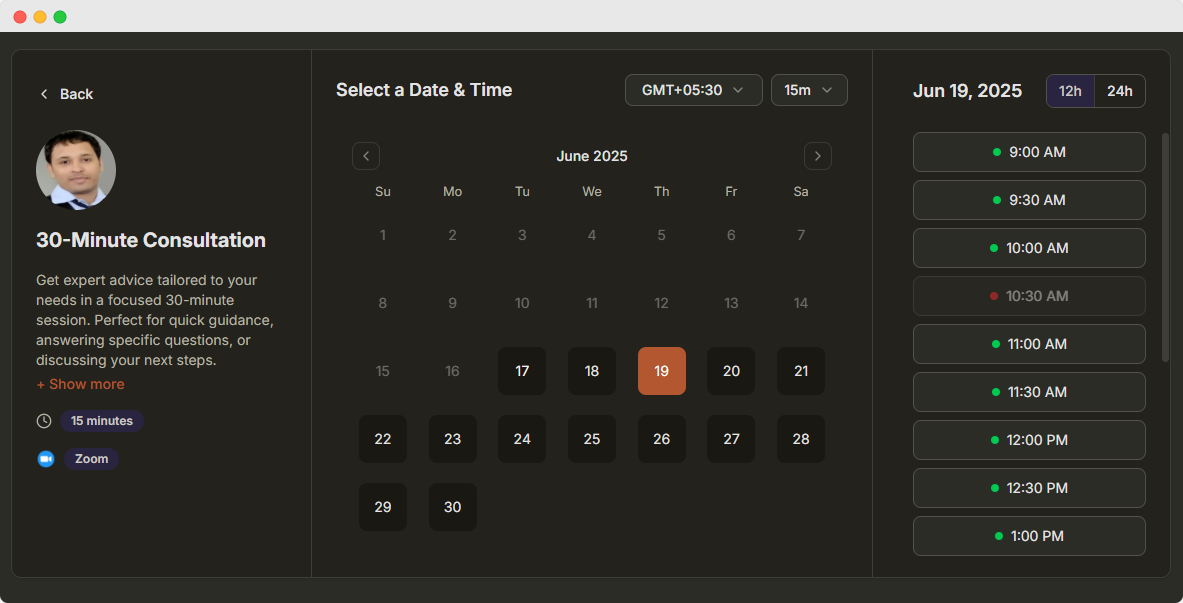
Round Robin Scheduling Software for Teams
Give customers one booking link for your whole team. Each meeting goes to a team member who is free, so calls are shared instead of piling up on one person.
- One link for the team
- Priorities per member
- Each member keeps their own location
Customer rated
25,000+ Happy customers worldwide

4.8 out of 5

4.7 out of 5

4.7 out of 5
What Is Round Robin Scheduling?
Round robin scheduling assigns each new booking to a team member who is free at that time. Customers see the combined free times of every member, and a time is offered as long as at least one member is available.
- 1
Add your team
Select the members who take these meetings, by team or one by one, and set a priority for each.
- 2
Share one link
Prospects see the combined availability of the team and pick the time that suits them.
- 3
Bookings are assigned
Each booking goes to a free member. Equal priorities share meetings evenly across the team.
Smart features for team scheduling
Optimize your team's availability and meeting distribution
Intelligent Distribution
Automatically assign meetings based on availability and workload. Smart algorithms ensure fair distribution and optimal team utilization.
- Smart assignment algorithms
- Real-time availability checking
Team Management
Add team members and set individual availability rules and preferences.
- Individual schedules
- Role-based permissions
Performance Analytics
Track meeting distribution and team utilization with detailed analytics.
- Distribution reports
- Team performance metrics
Custom Rules
Set priority levels and custom assignment rules for different team members.
- Priority assignments
- Custom distribution logic
Calendar Sync & Availability
Integrate with team calendars for real-time availability. Automatically sync with Google Calendar, Outlook, and other platforms.
- Multi-calendar integration
- Real-time availability updates
Availability Preferences
Let team members set their preferred meeting times and availability windows.
- Personal preferences
- Flexible scheduling
Product tour
See Dayschedule appointment booking in action
A quick look inside Dayschedule: create events, manage bookings, sync calendars and send reminders, all from one dashboard.
Set this up in minutes on your own DaySchedule account.
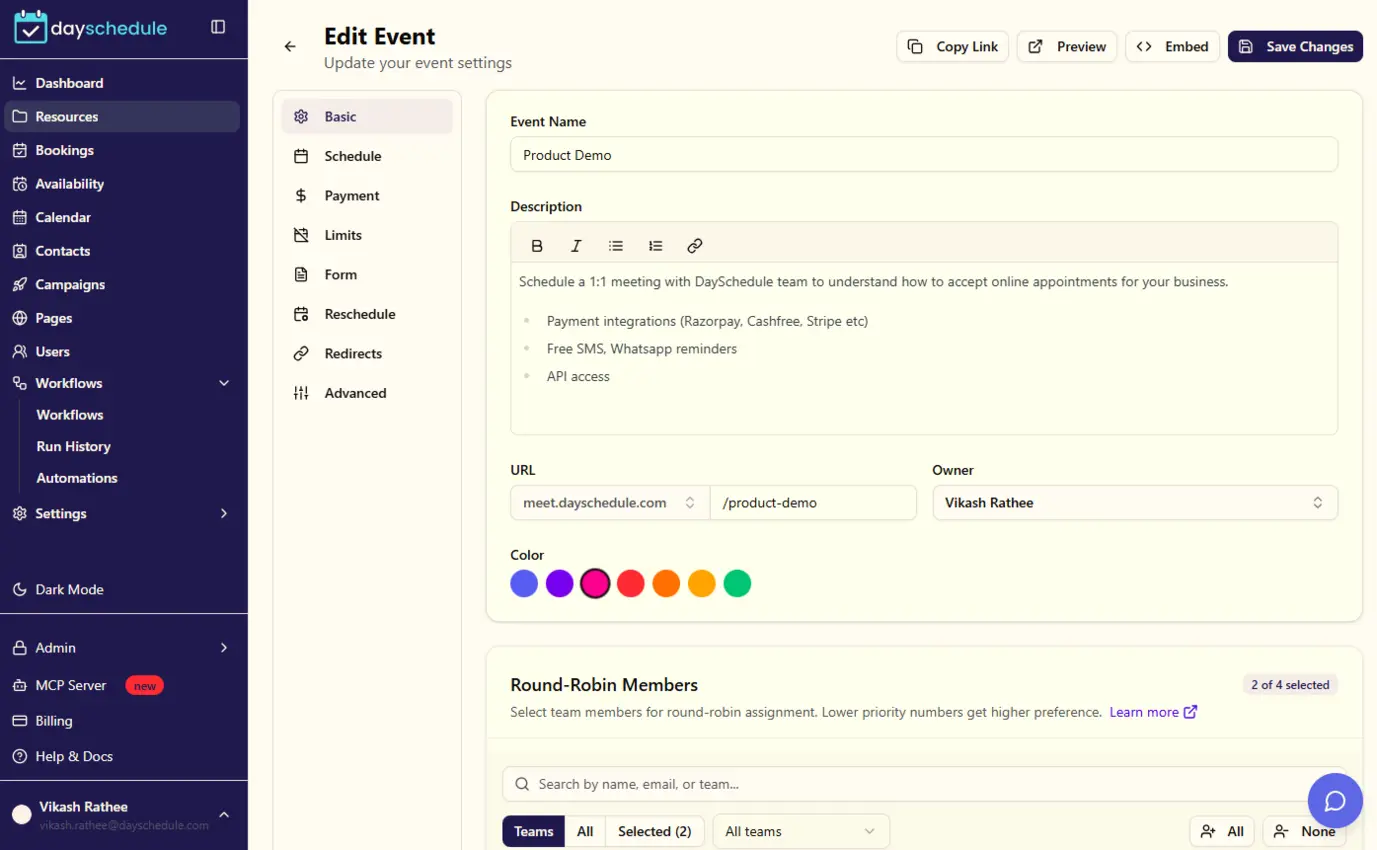
Sign up freeCreate your 1:1 event for appointments
Set up a bookable event in minutes. Choose the duration, location (in-person, phone or video call) and booking questions, then share the link with clients.
Set this up in minutes on your own DaySchedule account.
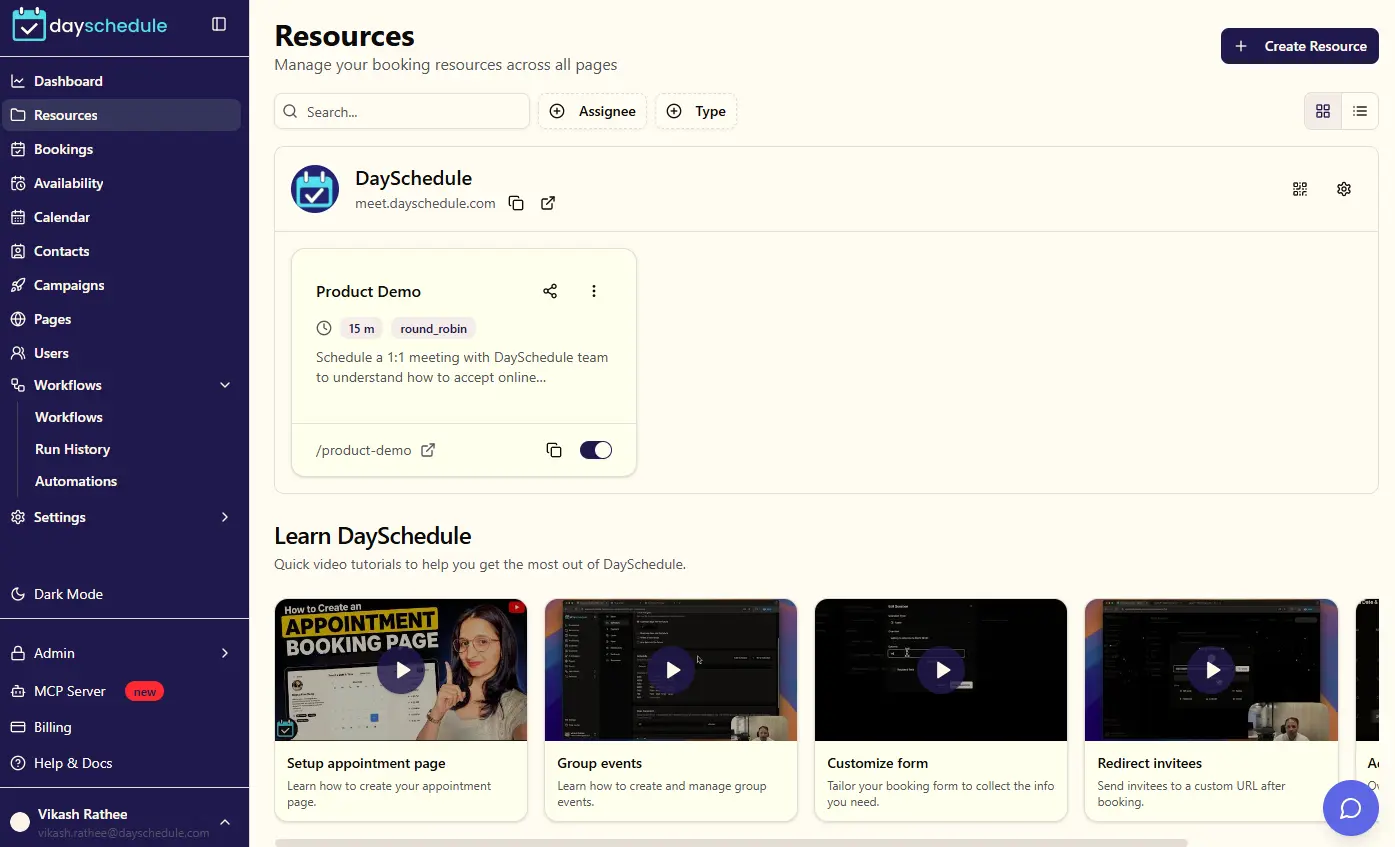
Sign up freeManage all your event types in one place
View, edit, duplicate or disable your booking pages from a single list, and copy a shareable link in one click.
Set this up in minutes on your own DaySchedule account.
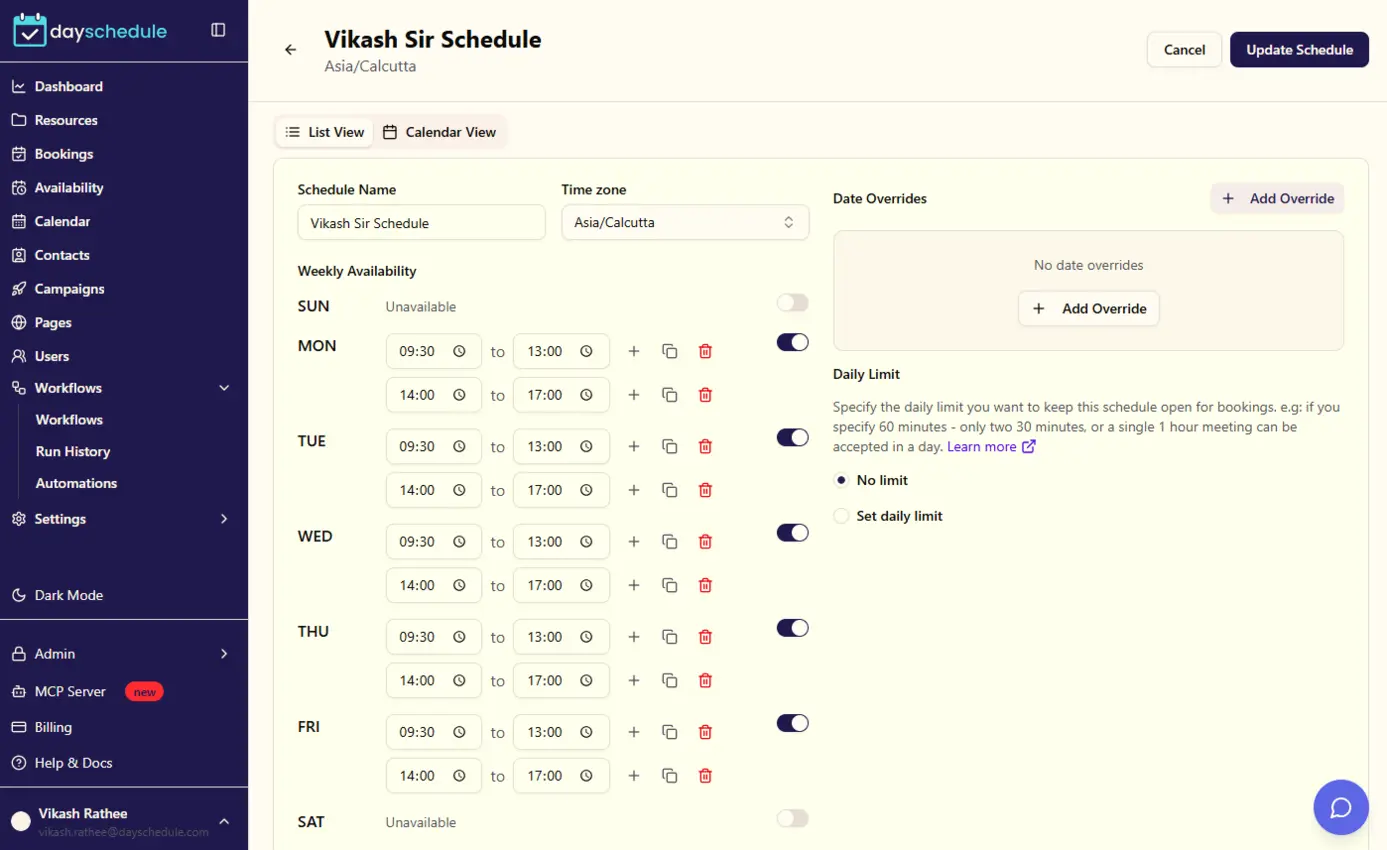
Sign up freeSet your working hours and schedules
Define weekly availability, add date overrides for holidays or days off, and let clients book only when you are actually free.
Set this up in minutes on your own DaySchedule account.
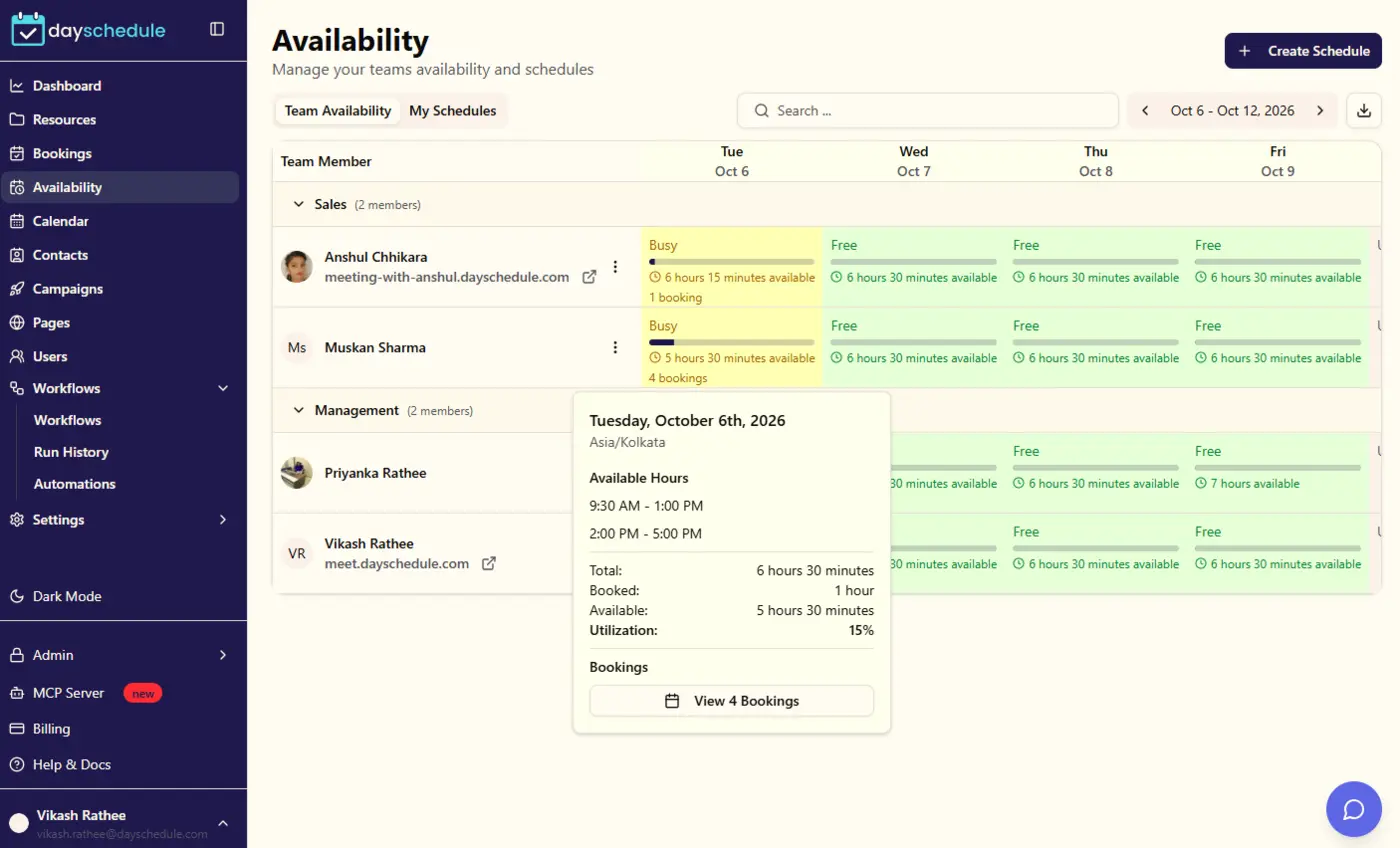
Sign up freeFind the right time across your team
Use round-robin or collective scheduling so clients can book with whichever team member is available, without any back and forth.
Set this up in minutes on your own DaySchedule account.
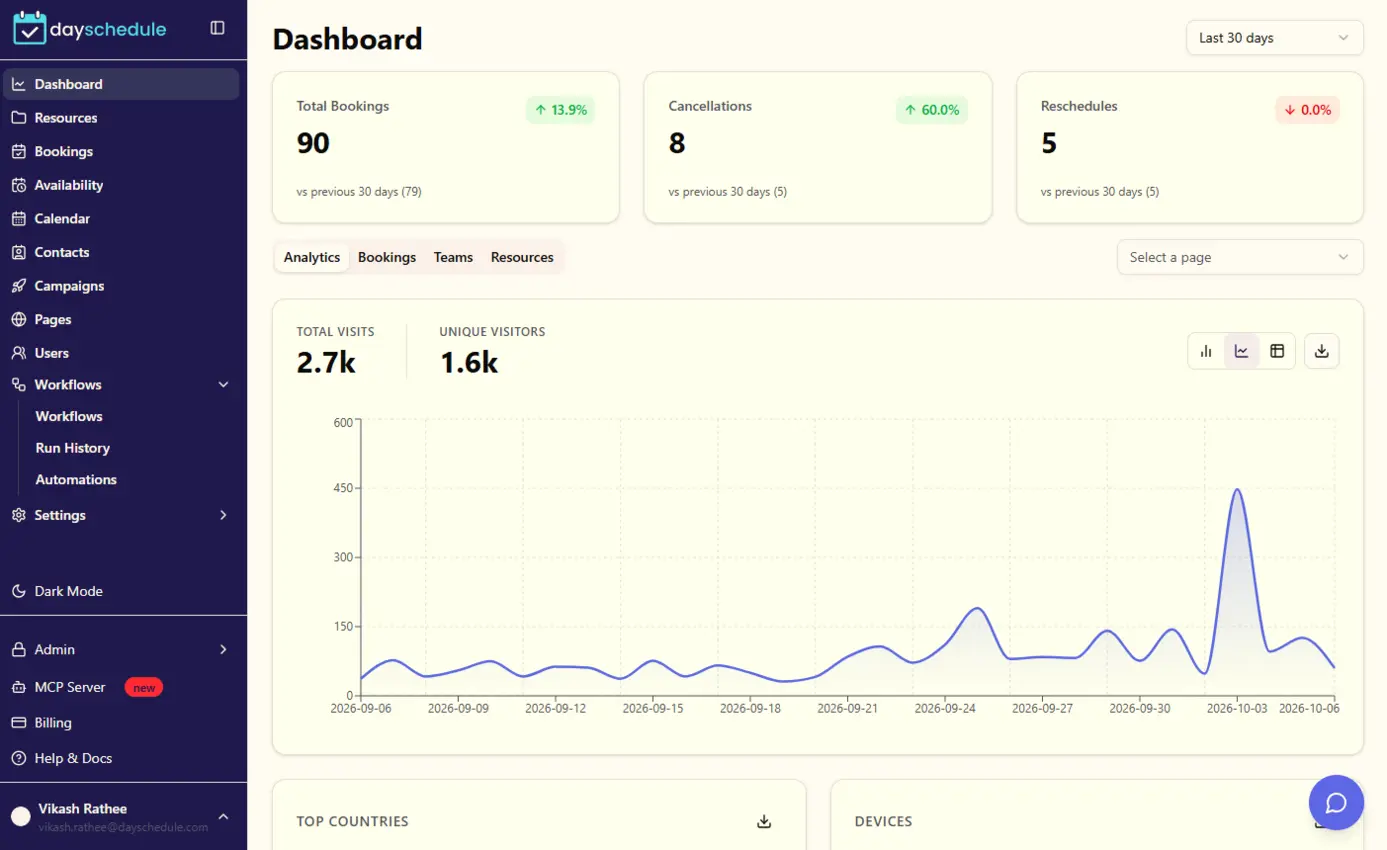
Sign up freeTrack every appointment from your dashboard
Get a clear overview of upcoming appointments, recent activity and booking trends as soon as you log in.
Set this up in minutes on your own DaySchedule account.
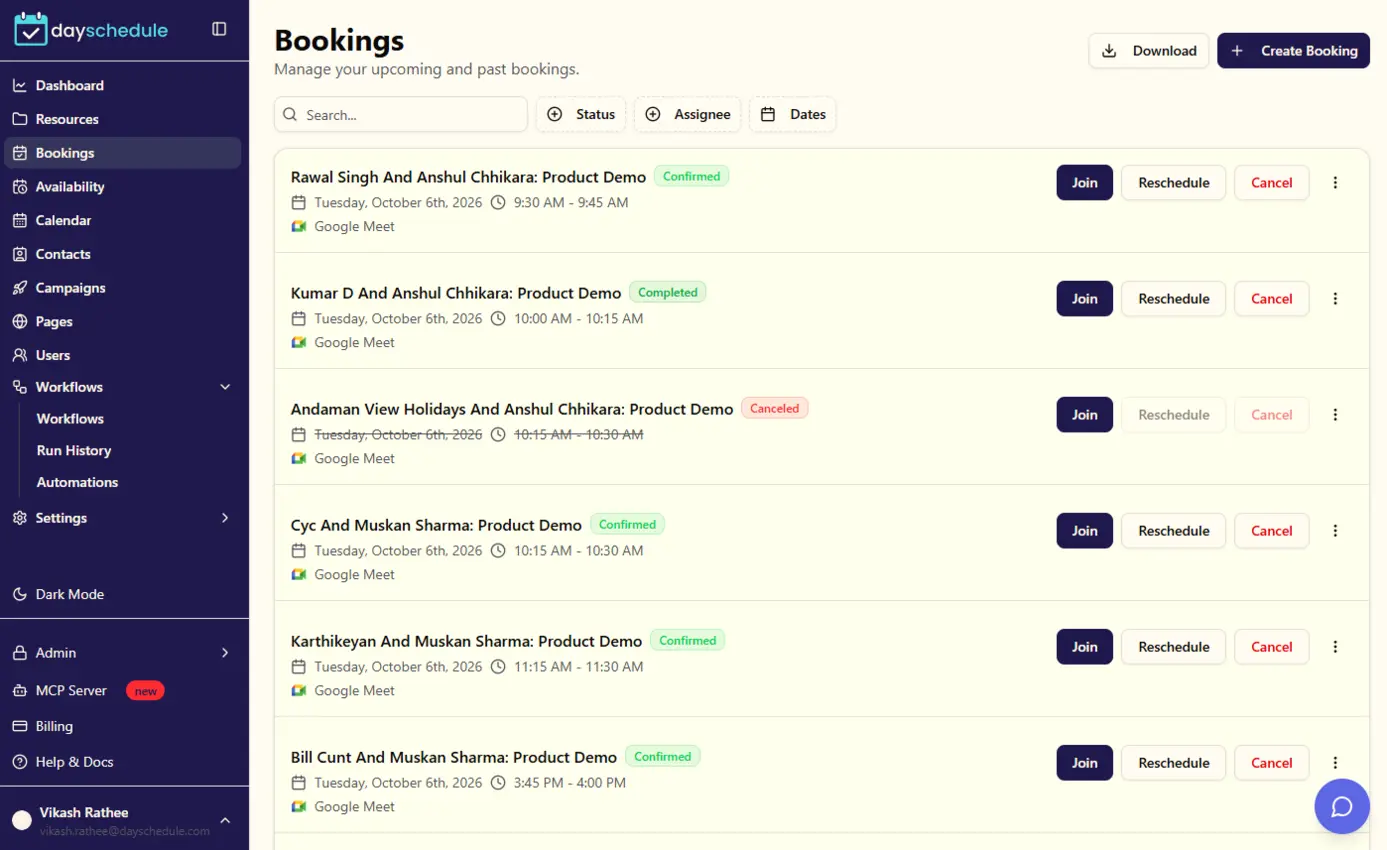
Sign up freeManage, reschedule or cancel bookings
See every upcoming and past booking, view invitee details, and reschedule or cancel appointments with a click.
Set this up in minutes on your own DaySchedule account.
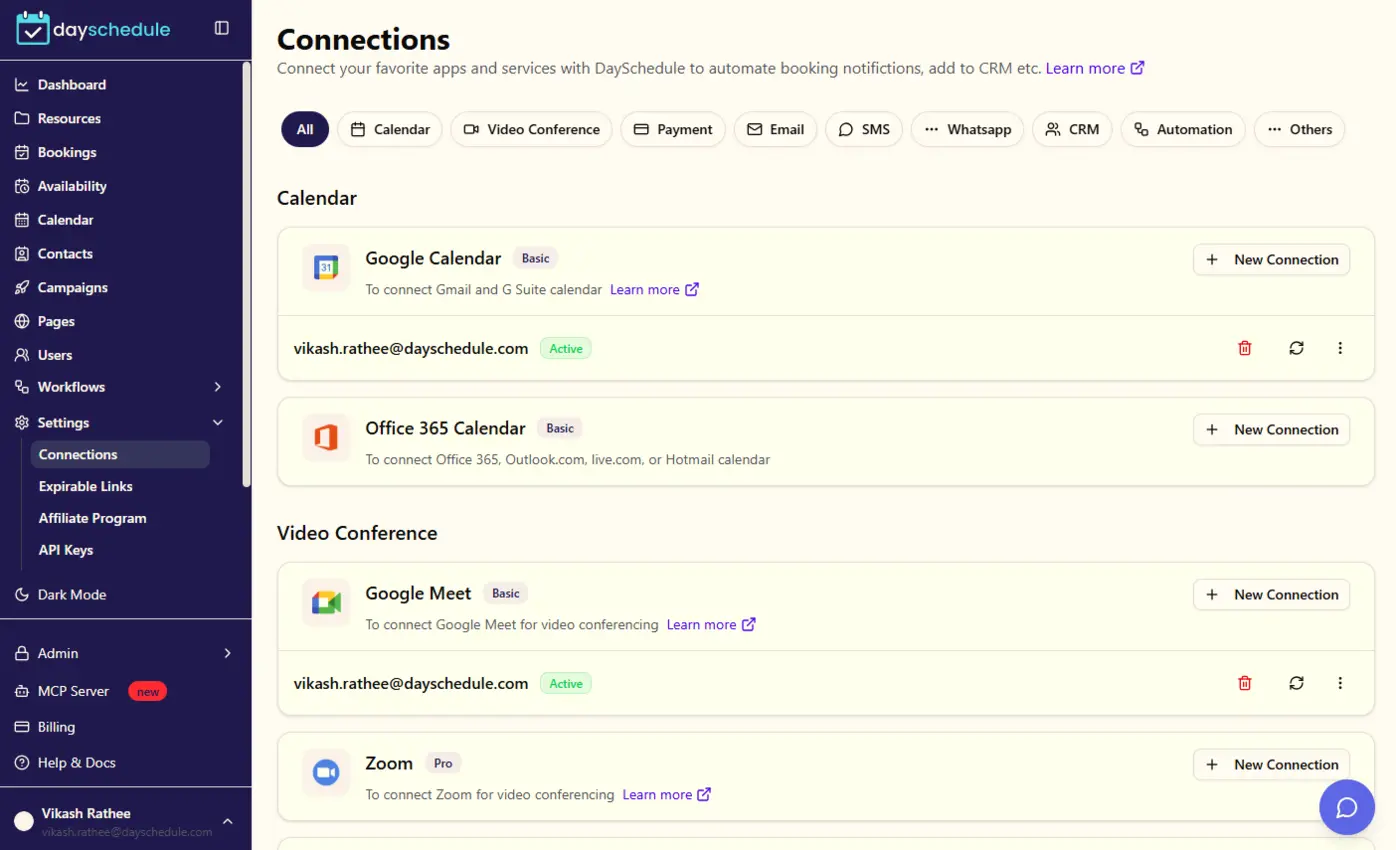
Sign up freeSync with your favorite calendars
Connect Google, Outlook or other calendars to prevent double bookings and automatically add new appointments to your calendar.
Set this up in minutes on your own DaySchedule account.
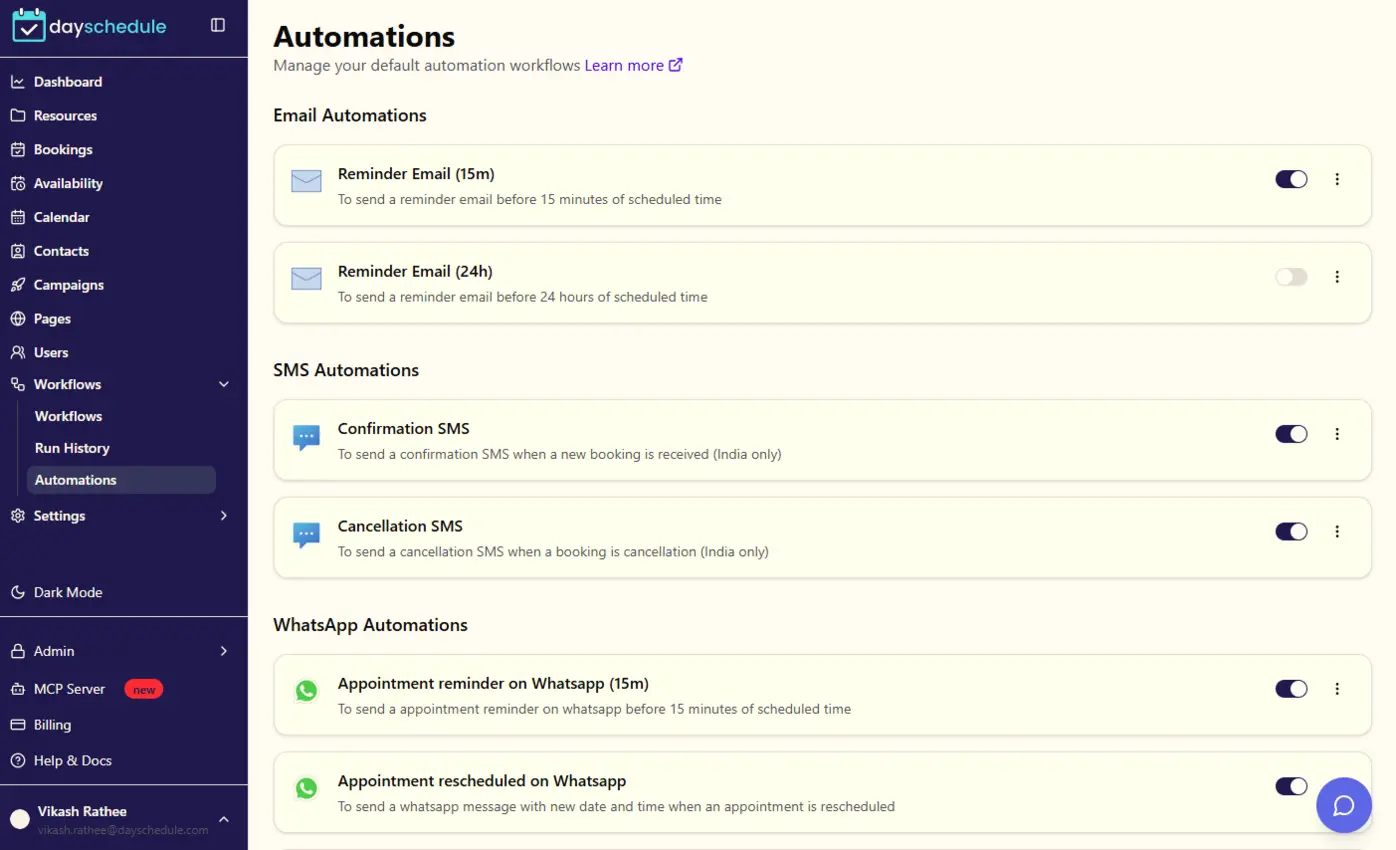
Sign up freeReduce no-shows with automatic reminders
Send confirmation and reminder emails or SMS before each appointment so clients show up on time.
Loved by teams worldwide
See what our customers have to say about DaySchedule
WhatsApp reminders have reduced no-shows by 90%. I no longer need to send reminders manually.
Amit Patel
Financial Consultant, Mumbai
The mini-CRM helps me track tasks and follow-ups easily in one place. Game changer!
Sneha Gupta
Career Coach, Bangalore
DaySchedule has transformed how we handle patient appointments. The interface is intuitive and the automation features save us hours each week.
Shipra Dubey
Doctor, Mumbai
Better than Calendly with relevant features and competitive prices to save more than 50% on Calendly pricing
Dr. Anamika
Life Coach, IIT Mumbai
DaySchedule has transformed how we handle client meetings. The interface is intuitive and the automation features save us hours each week.
Andie Knight
Marketing Director
The round-robin scheduling feature has helped us distribute leads fairly among our sales team. Our response time has improved significantly.
Andy Lea
Consultant, UK
Managing interviews has never been easier. The calendar integration and automated reminders have reduced our no-show rate by 50%.
Steve Strickland
HR Director, LA
DaySchedule is a game-changer for our startup. The ability to customize booking pages and automate reminders has made scheduling effortless.
Margi Williams
Career Services, USA
Route Meetings With the API and AI
Book inbound leads straight from your forms, or check on your team’s meetings from a chat.
Scheduling API
Send leads from your own form to the team. Each free time lists the members available, so pass one of them as the host.
const headers = {
  Authorization: 'Bearer YOUR_API_KEY',
  'Content-Type': 'application/json',
};

// 1. Combined free slots. Each time lists the free members
const { slots } = await fetch(
  'https://api.dayschedule.com/v1/availability/1234?start=2026-11-23&end=2026-11-27',
  { headers }
).then((res) => res.json());

// 2. Book the first free time with a member who is available
const { time, users } = slots[0].hours[0];
const end = new Date(Date.parse(time) + 30 * 60 * 1000);

const booking = await fetch('https://api.dayschedule.com/v1/bookings', {
  method: 'POST',
  headers,
  body: JSON.stringify({
    resource_id: 1234,
    start_at: time,
    end_at: end.toISOString(),
    time_zone: 'Asia/Calcutta',
    host: { user_id: users[0] },
    location: { type: 'google_meet' },
    invitees: [{ name: 'Rohan Mehta', email: 'example@gmail.com' }],
  }),
}).then((res) => res.json());AI assistant
Connect DaySchedule to Claude, ChatGPT or any MCP client and manage bookings in plain language.
"Book the product demo for Priya Sharma at 10:30 AM on Tuesday, then add her manager Aisha Birla, aisha@example.com, as an invitee."
create_bookingadd_booking_invitee"Show today's demos and mark Daniel Costa as a no-show for the 2 PM call."
get_bookingsmark_booking_noshowFrequently Asked Questions
Everything you need to know about round robin scheduling.
What is round-robin appointment scheduling?
How does round-robin scheduling work?
Can I use round-robin scheduling for sales teams?
Can round-robin scheduling distribute appointments based on availability?
Can customers choose a team member with round-robin scheduling?
Is round robin scheduling included in the free plan?
Explore More DaySchedule Products
 20 sec
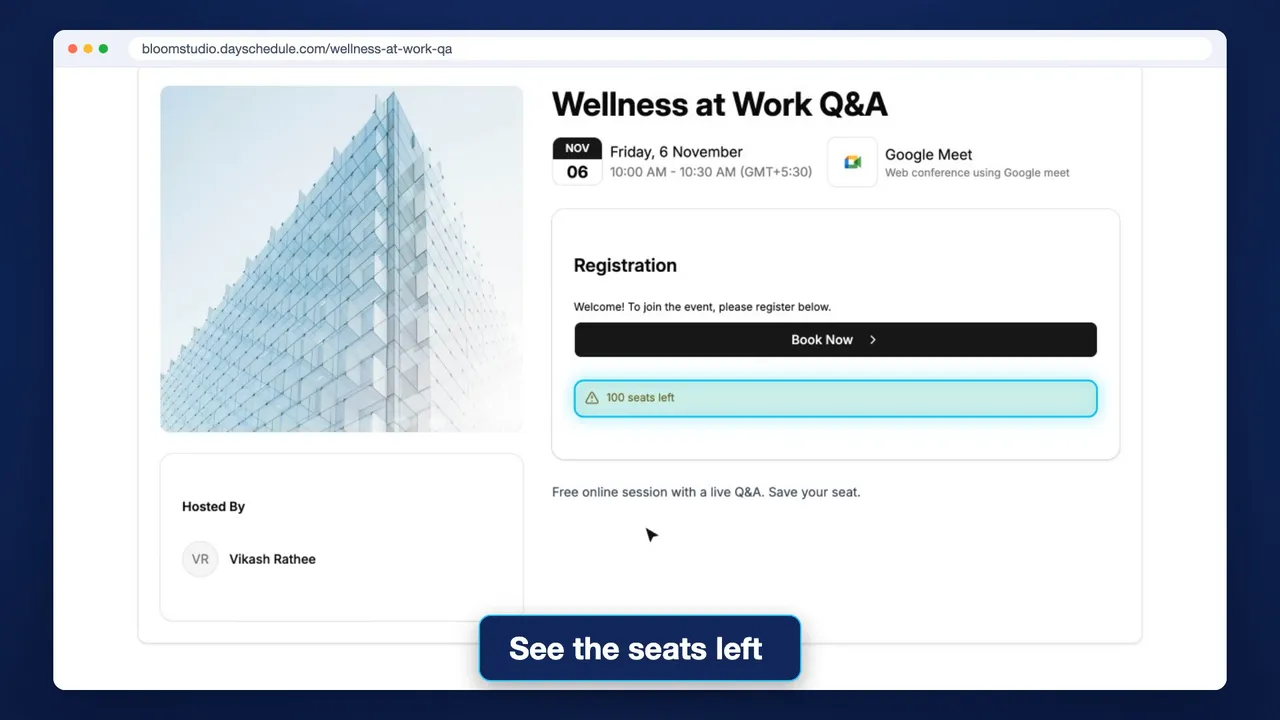
Webinar Software
Registration pages for one-time or weekly sessions, with seat limits, tickets and your own hosts and speakers.
Learn more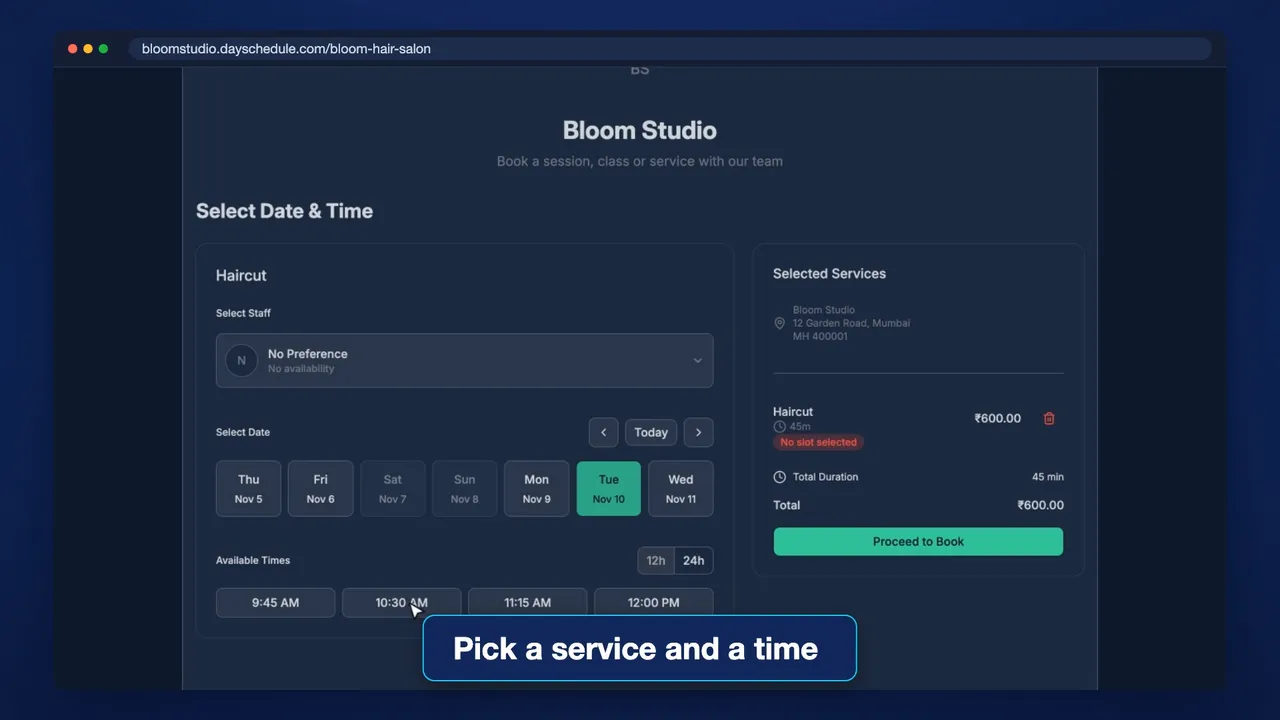 20 sec
Service Booking Software
A full service menu on one link. Customers pick a service, price and staff member, then a time.
Learn more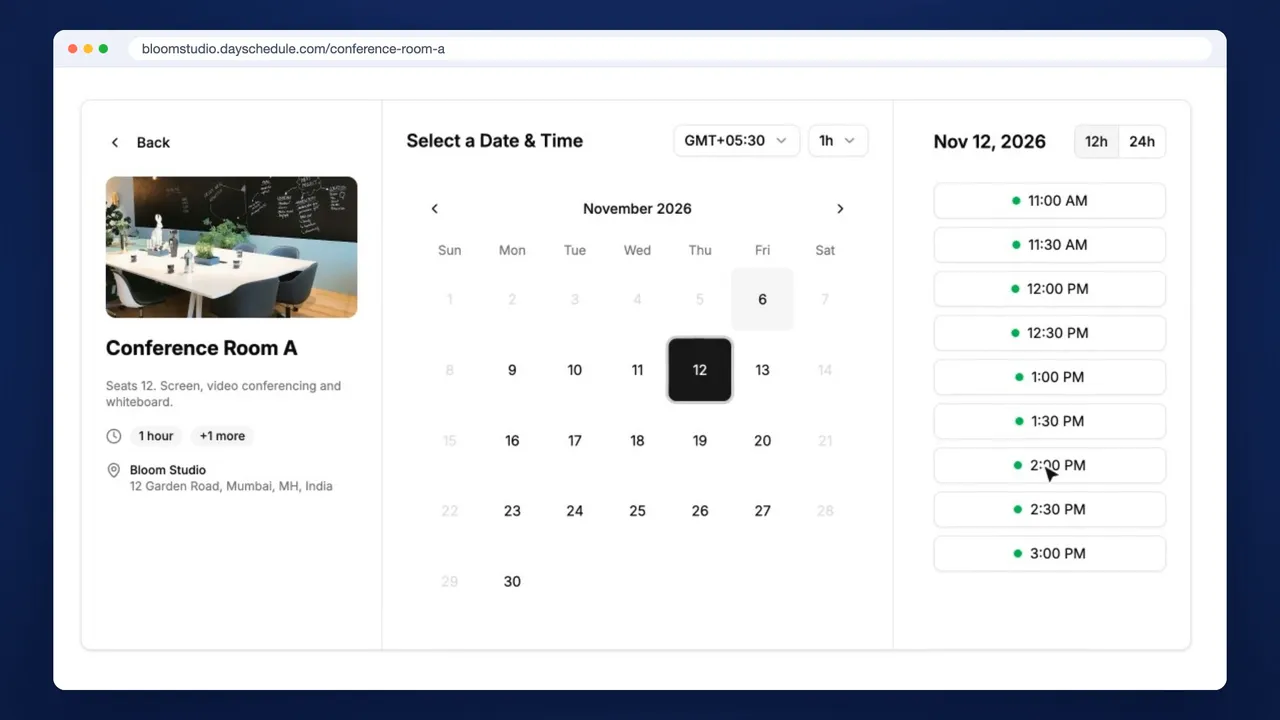 36 sec
Venue Booking Software
Rent out rooms, courts and studios by the hour, with opening hours that never block your own calendar.
Learn moreShare Every Meeting Across Your Team
Give prospects one link and let DaySchedule route each booking to a team member who is free.