
A reminder before the meeting is the simplest way to cut no-shows. Automations are ready-made reminder workflows you switch on with one click, with no wording or timing to set up. They run for every booking on all your resources.
Open Workflows, then Automations.
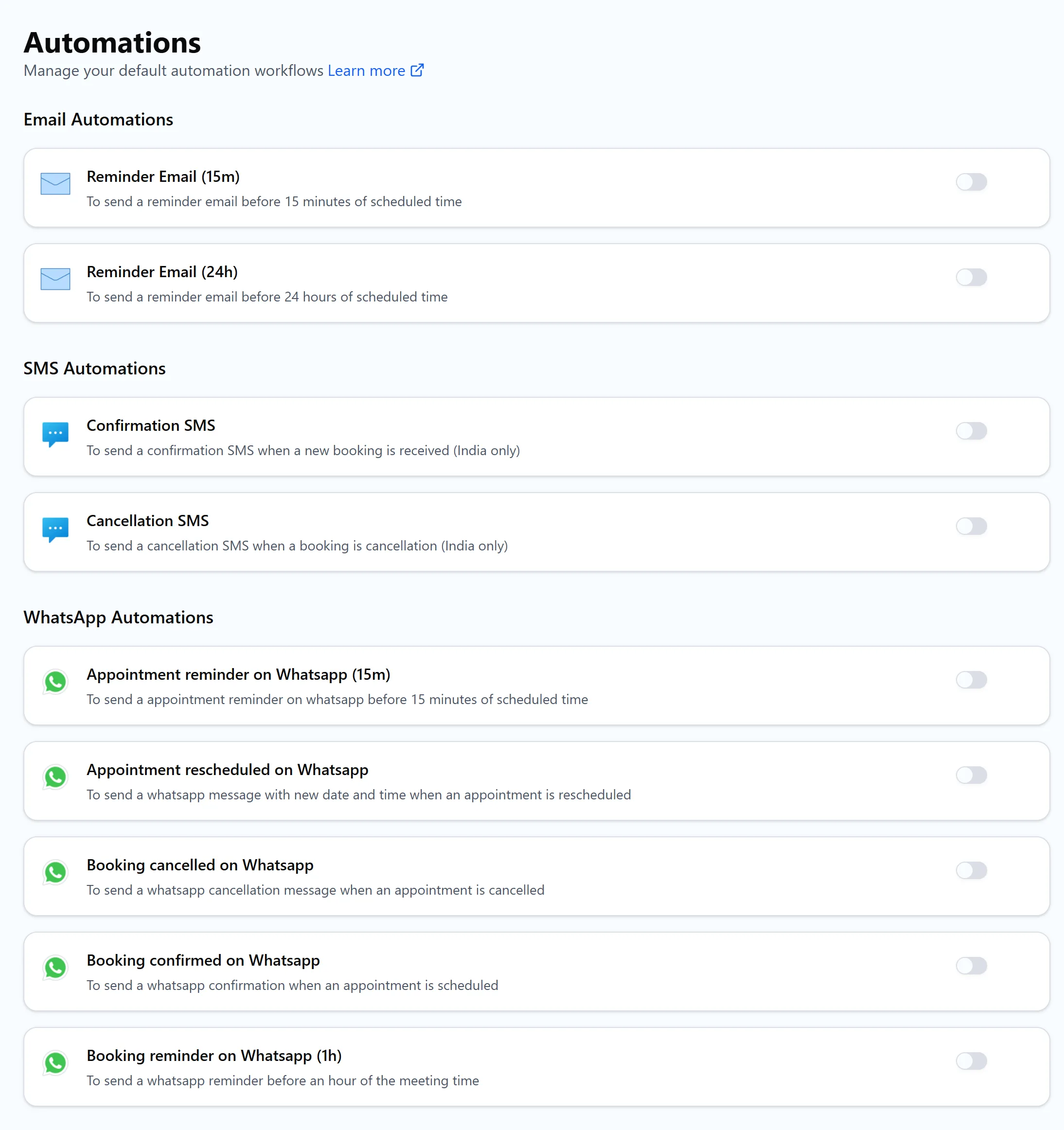
Email reminders
- Reminder Email (15m) sends a reminder email 15 minutes before the scheduled time.
- Reminder Email (24h) sends a reminder email 24 hours before the scheduled time.
Turn on both for important meetings: the day-before email gives people time to reschedule, and the 15 minute one brings them to the call.
SMS messages
- Confirmation SMS is sent when a new booking is received.
- Cancellation SMS is sent when a booking is cancelled.
These built-in SMS automations work for Indian phone numbers only. For other countries, send from your own Twilio or MSG91 account. See SMS reminders.
WhatsApp messages
- Appointment reminder on Whatsapp (15m) sends a reminder 15 minutes before the scheduled time.
- Booking reminder on Whatsapp (1h) sends a reminder an hour before the meeting.
- Booking confirmed on Whatsapp sends a confirmation when an appointment is scheduled.
- Appointment rescheduled on Whatsapp sends the new date and time when a booking is rescheduled.
- Booking cancelled on Whatsapp sends a message when an appointment is cancelled.
They're sent from DaySchedule's WhatsApp number. Ask for a phone number on your booking form so there's a number to send to. To send from your own WhatsApp Business number through the Meta API, Wati or AiSensy, see WhatsApp reminders.
Turn an automation on or off
Click the switch on an automation to turn it on for all your resources, and again to turn it off. Every reminder it sends shows up in the Run History and on the Jobs tab of the booking.
Automations are part of the paid plans. On the free plan, switching one on shows "Upgrade to Pro".
Need different timing or wording?
Create your own workflow instead. You choose the trigger, such as 2 hours before or 1 day after, the resources it applies to, and the email content with dynamic variables.