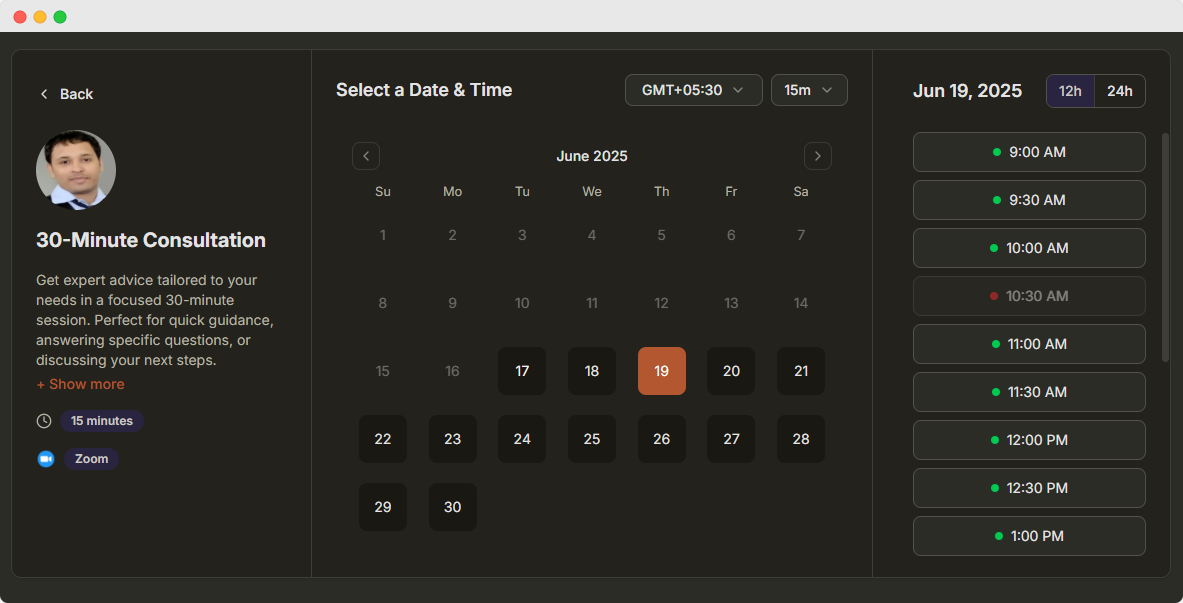
AI Appointment Scheduling Assistant
Book, reschedule and cancel appointments by chatting with Claude, ChatGPT or any AI app that supports MCP. The AI assistant checks your real availability and updates DaySchedule for you.
How AI Appointment Scheduling Works
Manage your scheduling calendar online from the AI app you already use.
1. Connect DaySchedule
Add DaySchedule to Claude in a few clicks, or connect any other AI app with the MCP server.
2. Ask in plain language
Tell your assistant who to book and when. No forms to fill in and no calendar to open.
3. The appointment is booked
The assistant checks your real availability, then books, moves or cancels the appointment in DaySchedule.
Connect Your AI App
Use the Claude connector for the quickest setup, or the DaySchedule MCP server for every other AI provider.
Claude
Sign in with your DaySchedule account. No API key required.
- Open DaySchedule in the Claude directory.
- Connect it and sign in to DaySchedule.
- Approve access on the consent screen.
- Ask Claude to show your upcoming bookings.
 Add to Claude
ChatGPT and other OAuth clients
Add a custom MCP connector, then sign in when asked.
- Open the connector or MCP settings in your AI app.
- Add a custom server named DaySchedule with this URL.
https://api.dayschedule.com/mcp- Sign in to DaySchedule and approve access.
Cursor, VS Code and other MCP clients
Add the server to your MCP config with a DaySchedule API key.
Create a key under Settings, then API Keys
Cursor and most MCP clients
{
  "mcpServers": {
    "dayschedule": {
      "url": "https://api.dayschedule.com/mcp?apiKey=YOUR_API_KEY"
    }
  }
}
VS Code (.vscode/mcp.json)
{
  "servers": {
    "dayschedule": {
      "type": "http",
      "url": "https://api.dayschedule.com/mcp?apiKey=YOUR_API_KEY"
    }
  }
}
This URL contains your key, so treat it like a password. Don't commit it to source control, and revoke it if it is exposed.
Read the MCP server guideAI Appointment Templates
Example prompts for doctors, sales teams and other businesses. Paste one into your assistant and change the details.
Doctors and clinics
"Find the first free 15-minute new patient slot on Thursday morning and book it for Rohan Gupta, rohan@example.com."
get_available_slotscreate_bookingSales demos
"Book the product demo for Priya Sharma at 10:30 AM on Tuesday, then add her manager Aisha Birla, aisha@example.com, as an invitee."
create_bookingadd_booking_inviteeSalons and spas
"Move Meera's Friday haircut to the next available slot on Saturday afternoon."
get_bookingsget_available_slotsreschedule_bookingLawyers and legal teams
"Create a 45-minute initial consultation on my default schedule and show me what is open next week."
create_resource_typeget_available_slotsReal estate
"Which property viewings do I have this week? Cancel the Saturday viewing because the flat is no longer available."
get_bookingscancel_bookingRecruiting
"Show today's interviews and mark Daniel Costa as a no-show for the 2 PM screening call."
get_bookingsmark_booking_noshowConsultants and coaches
"Mark me unavailable from December 24 to December 26, and finish my working day at 3 PM on Fridays."
get_default_scheduleupdate_scheduleTeachers and tutors
"Create a 60-minute group maths class and a booking page I can share with my students."
create_resource_typecreate_pageHome repair and field service
"List tomorrow's pending service visits and confirm the boiler repair for Sam Lee."
get_bookingsconfirm_bookingAI Scheduling Tools in DaySchedule
The MCP server gives your assistant 21 tools to run your scheduling from a single chat.
Availability
- Find open slots in a date range
- Read your schedules and working hours
- Create schedules with time zones and rules
- Block holidays and date overrides
Bookings
- Book an appointment for an attendee
- Reschedule or cancel with a reason
- Confirm pending bookings
- Mark no-shows and add invitees
Events
- Create 1:1, group and round-robin events
- Create webinars
- Update event settings
- List and delete event types
Booking pages
- Create organization and business pages
- Create group booking pages
- List your existing pages
Customer rated
25,000+ Happy customers worldwide

4.8 out of 5

4.7 out of 5

4.7 out of 5
Start Booking Appointments With AI
Create your free DaySchedule account, set your availability and connect your AI assistant in minutes.
Frequently Asked Questions
Everything you need to know about AI appointment scheduling.
Ready to get started?
Join thousands of satisfied users who trust DaySchedule for AI appointment scheduling.