
DaySchedule has a free plan for one person with one-on-one events, and paid plans that add the premium resource types, payments, reminders, workflows, the CRM and team features. Prices are per user per month. The current plans and features are on the pricing page.
Start a free trial
New accounts can try every Pro feature free for 7 days. Start the trial from the last setup step, or from Billing in the sidebar. You verify a card or UPI, and you aren't charged if you cancel before day 7.
Upgrade
- Open Billing in the sidebar and click Upgrade Now on a plan under Choose a Plan.
- Pick the Currency, USD or INR.
- Set the number of Users, the seats for your team members.
- Choose the Billing frequency: Monthly or Annual. Annual billing saves one month.
- Choose the Payment gateway and complete the payment.
The total includes tax where it applies, such as 18% GST for INR payments. Add your company name and tax number in account settings before upgrading, so they appear on your invoices.
Add or remove seats
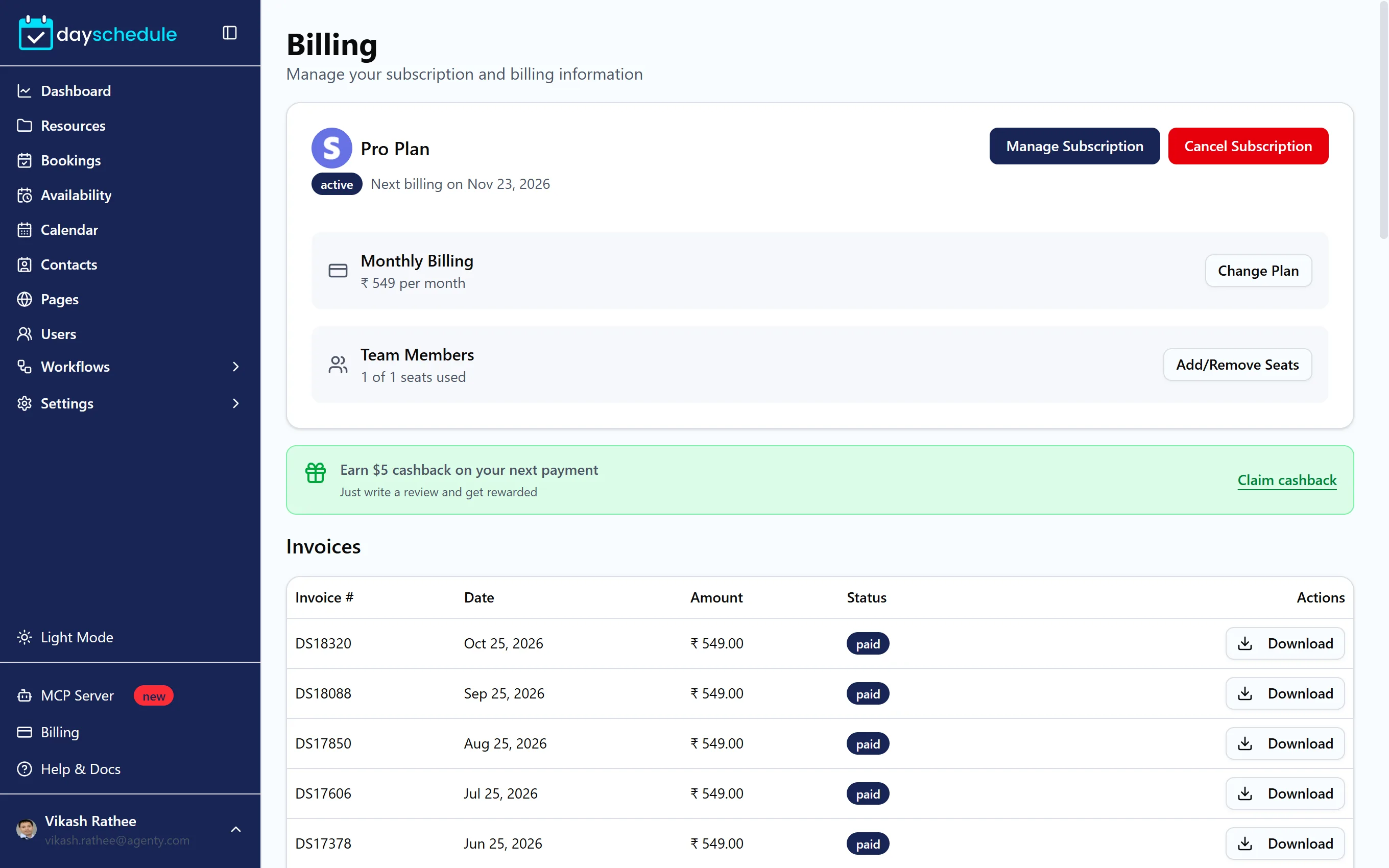
Each user on your account needs a seat. On the Billing page, the subscription card shows your plan, billing cycle and Team Members. Click Add/Remove Seats to change the number before you invite more users.
Update your payment method
Manage Subscription on the subscription card takes you to the payment gateway you subscribed with, where you can update your card or payment method.
Change plan
Click Change Plan on the subscription card to switch plans or seats. When you buy the new plan, the old subscription is cancelled automatically.
Download invoices
The Invoices table lists each Invoice # with its Date, Amount and Status. Click Download to save an invoice.
Cancel your subscription
Click Cancel Subscription on the subscription card, choose a Cancellation reason and confirm. Cancelling deletes your bookings, pages and other data, so download your bookings and contacts first. Before you confirm, DaySchedule offers 30% off for the next three months if you'd rather stay.