
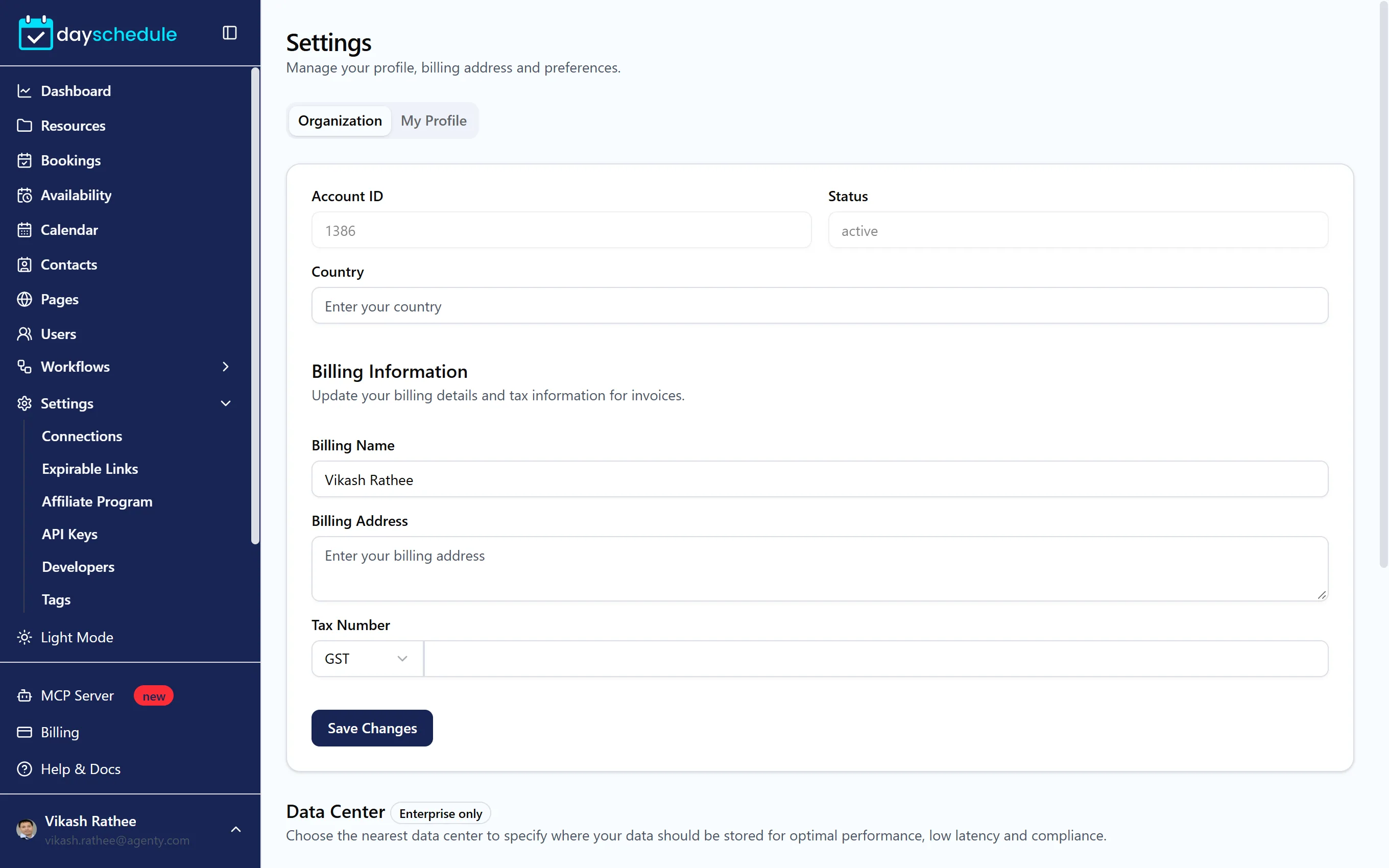
Open Settings, then Settings at the bottom of the submenu. The page has two tabs: Organization for the account as a whole, and My Profile for your own user.
Organization
- Account ID, Status and Country of the account. Quote the account ID when you contact support.
- Billing Information: the Billing Name, Billing Address and Tax Number printed on your invoices. Choose GST or VAT for the tax type.
- Data center: where your data is stored, Automatic, United States, United Kingdom or India. Choosing the nearest one keeps things fast and helps with data residency requirements. Changing it is available on the Enterprise plan through Contact support.
My Profile
- Full Name and Email. Click Change to change your login email.
- Phone Number, used for SMS booking notifications.
- Location and Role.
- Time Zone, your own time zone. Your booking pages use the time zone of each schedule. See Set working hours.
- Email Notifications: turn on Receive product updates and change logs to get the monthly change log by email.
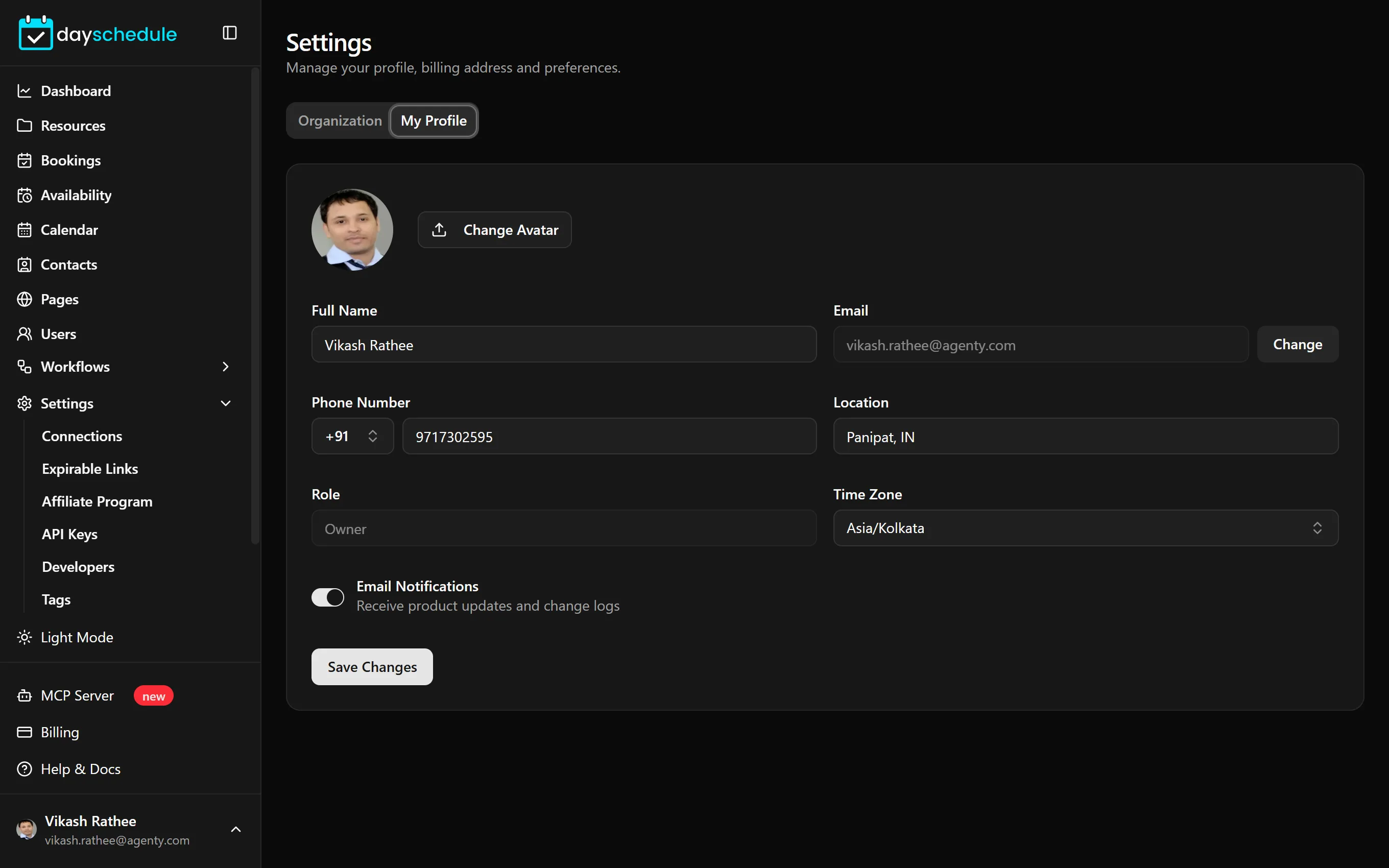
To switch the dashboard between light and dark mode, use Light Mode or Dark Mode in the sidebar.
Delete your account
Under Danger Zone, Delete your account permanently deletes the account with its bookings and contacts. It can't be undone. Download your bookings and contacts first if you need them. See how to delete your DaySchedule account.
On a paid plan, cancelling the subscription also deletes your data. See Cancel your subscription.