New around here? Get 20% off for life!
Ending in 0d 0h 0m
Start a trial for any paid plan within 72 hours of signing up and lock in a lifetime 20% discount.

Start a trial for any paid plan within 72 hours of signing up and lock in a lifetime 20% discount.
Generate UPI QR codes for online payments with free UPI QR Code Generator. Quick, secure, and convenient for all your UPI trnasaction for PayTM, PhonePe, Google Pay etc.
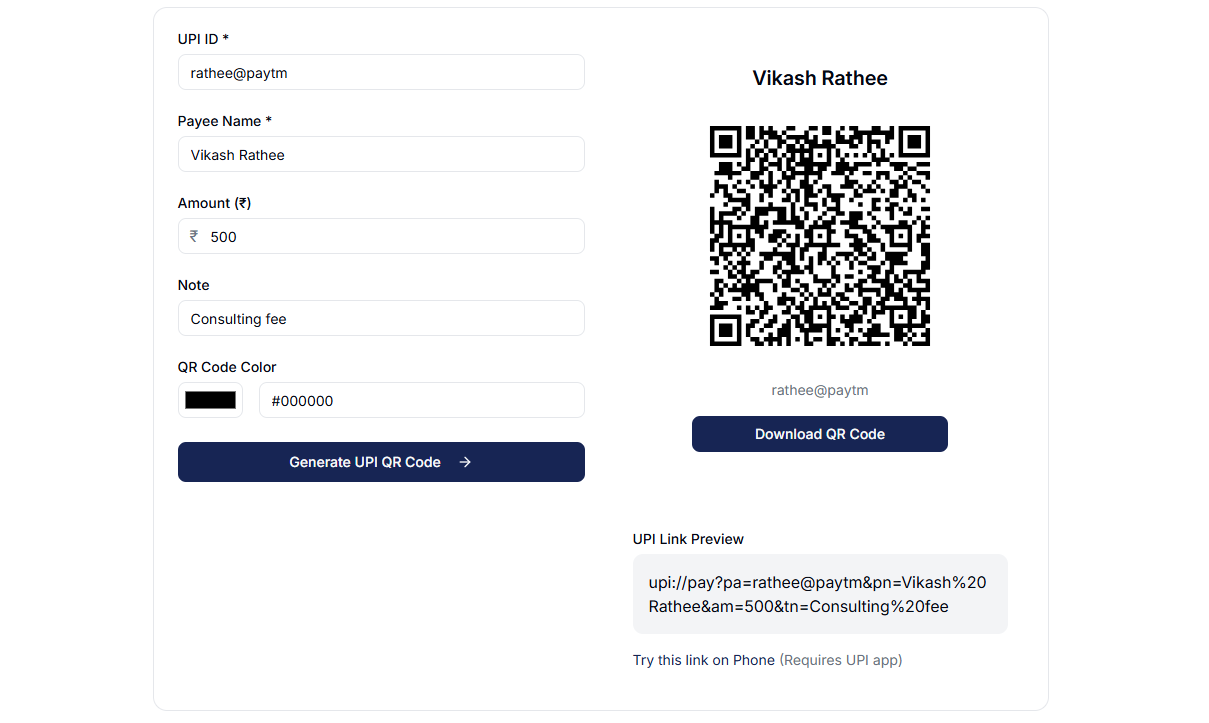
Here the list of parameters:
| Parameter | Description | Example Value |
|---|---|---|
| pa | Payee VPA (Virtual Payment Address) - This is the UPI ID of the recipient. | demo@upi |
| pn | Payee Name - The name of the person or entity receiving the payment. | Demo Payee |
| am | Amount - The amount to be paid. This value is optional. | 10 |
| tn | Transaction Note - A note or description of the transaction. This value is optional. | Demo Transaction |
Yes, you can specify a fixed amount in INR when generating the UPI QR code.
When the QR code is scanned, the specified amount will automatically be filled in, making it convenient for transactions.
Payments made through a UPI QR code can be tracked through your UPI-enabled app or bank statement.
The app will show the details of each transaction, including the amount, date, and payer information.
Start accepting bookings online with your own branded scheduling page. No coding required - set up, share your link, and get booked instantly.