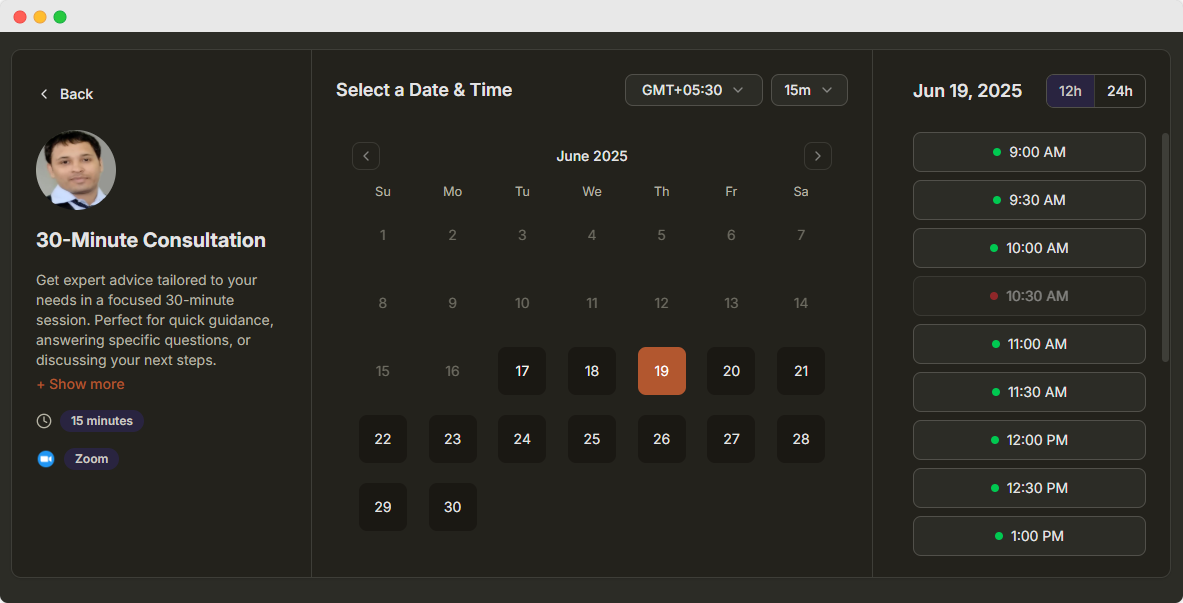
Retail Appointment Scheduling Software
Create a free in-store appointment booking link in 2 minutes. Fill in the form, preview your page live and publish it for shoppers to book.
Booking Page
Payment integration, color customization, more booking controls, and other advanced options can be added after publishing.
What is retail scheduling software?
DaySchedule helps retail stores offer bookable in-store appointments such as personal shopping, fittings, product demos and click-and-collect pickups. Shoppers pick a slot online, staff are scheduled around real demand, and reminders keep turn-up rates high.
Manage store appointments, personal shopping sessions, product demos, and customer consultations with ease
What shoppers can book
- Personal shopping and styling sessions
- Fittings and alterations
- Product demos and consultations
- Click-and-collect pickup slots
Need more than one booking type? See 1-1 meeting software or compare plans and pricing.
How to create a in-store appointment booking link
 1

1Add your retail store details
Enter your retail store name, a page title and a short description. Upload your logo so shoppers recognise your brand.
 2

2Set your availability
Choose the days you work, your opening and closing time, and how long each in-store appointment lasts. Time slots are generated automatically.
 3

3Choose a location
Add the address where shoppers should come for the in-store appointment.
 4

4Publish and share your link
Click Publish to get your booking link. Share it on your website, Google Business Profile, WhatsApp, email or social media and start taking bookings.
Customer rated
25,000+ Happy customers worldwide

4.8 out of 5

4.7 out of 5

4.7 out of 5
Product tour
See retail appointment scheduling software in action
Create events, manage bookings, sync calendars and send reminders, all from one dashboard.
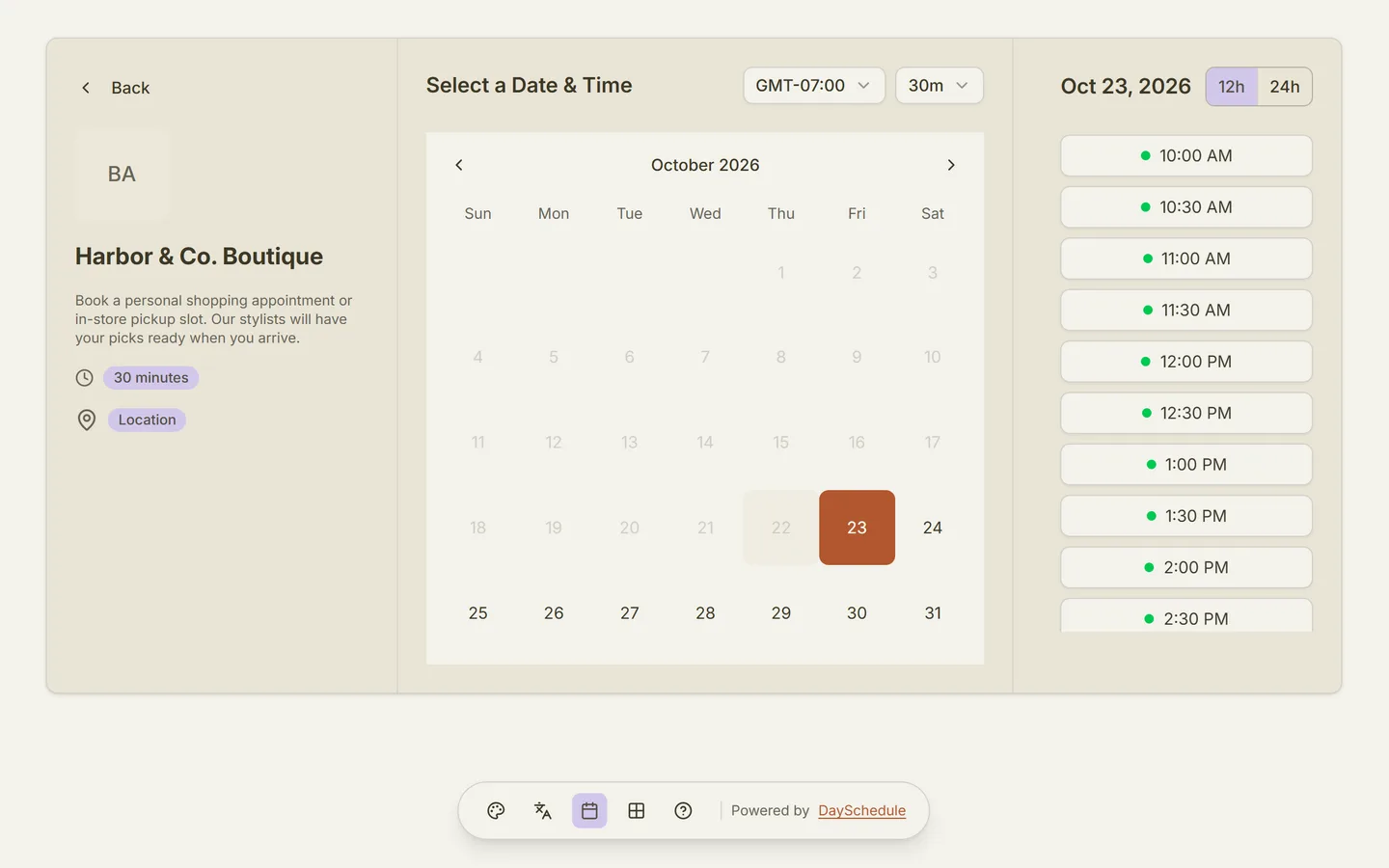
Set this up in minutes on your own DaySchedule account.
Sign up freeRetail Appointment Scheduling Software
Manage store appointments, personal shopping sessions, product demos, and customer consultations with ease
Set this up in minutes on your own DaySchedule account.
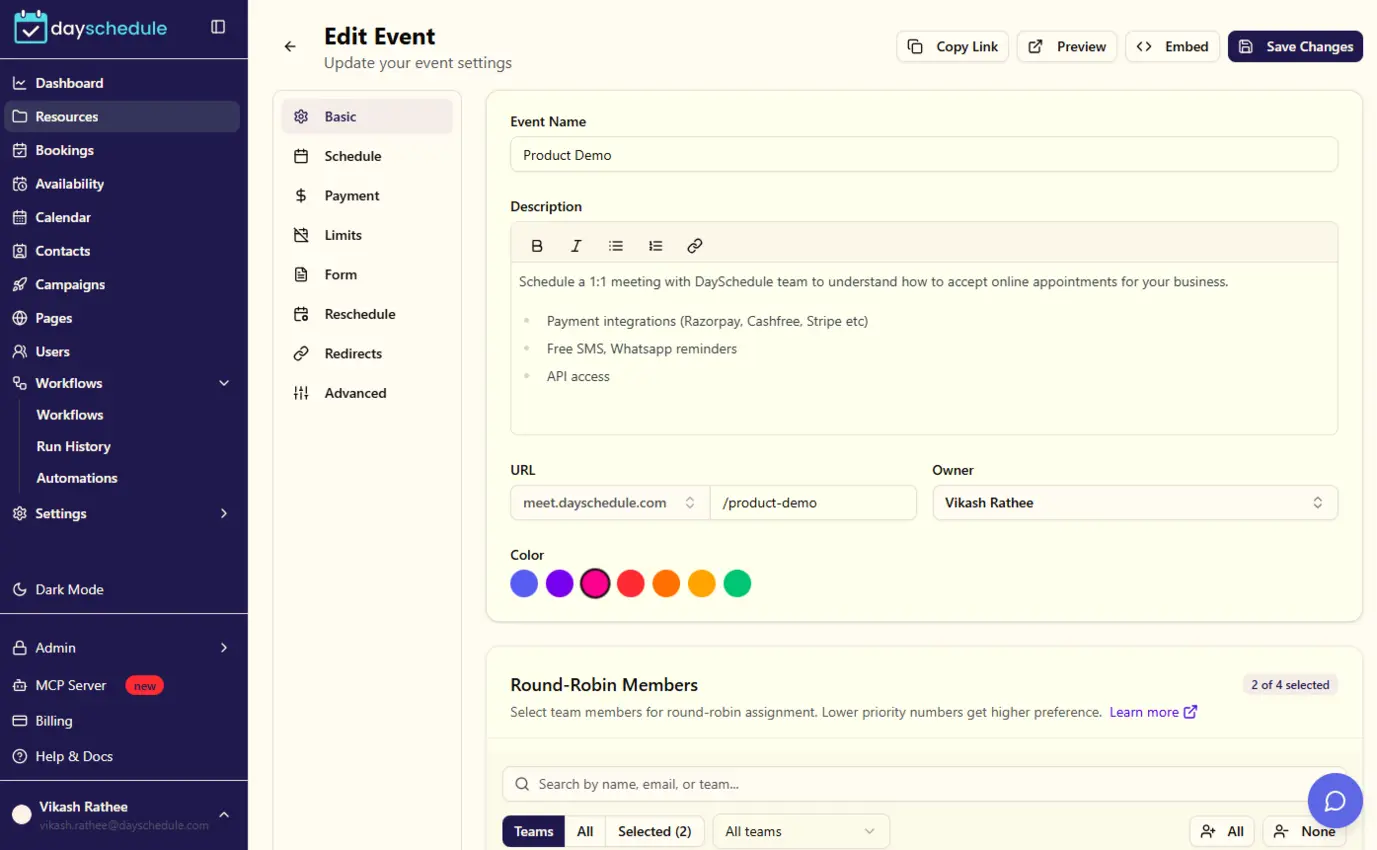
Sign up freeCreate your 1:1 event for appointments
Set up a bookable event in minutes. Choose the duration, location (in-person, phone or video call) and booking questions, then share the link with clients.
Set this up in minutes on your own DaySchedule account.
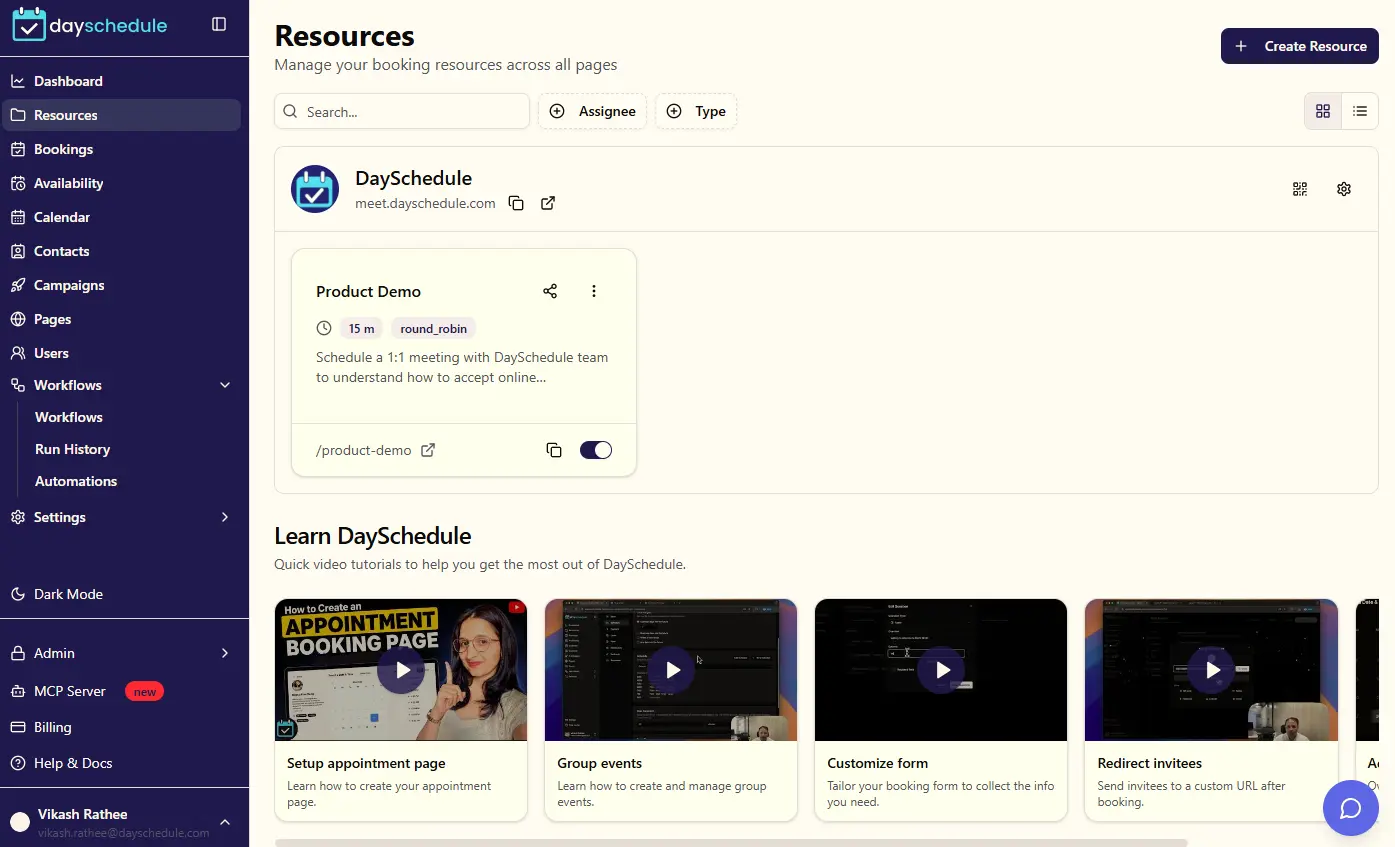
Sign up freeManage all your event types in one place
View, edit, duplicate or disable your booking pages from a single list, and copy a shareable link in one click.
Set this up in minutes on your own DaySchedule account.
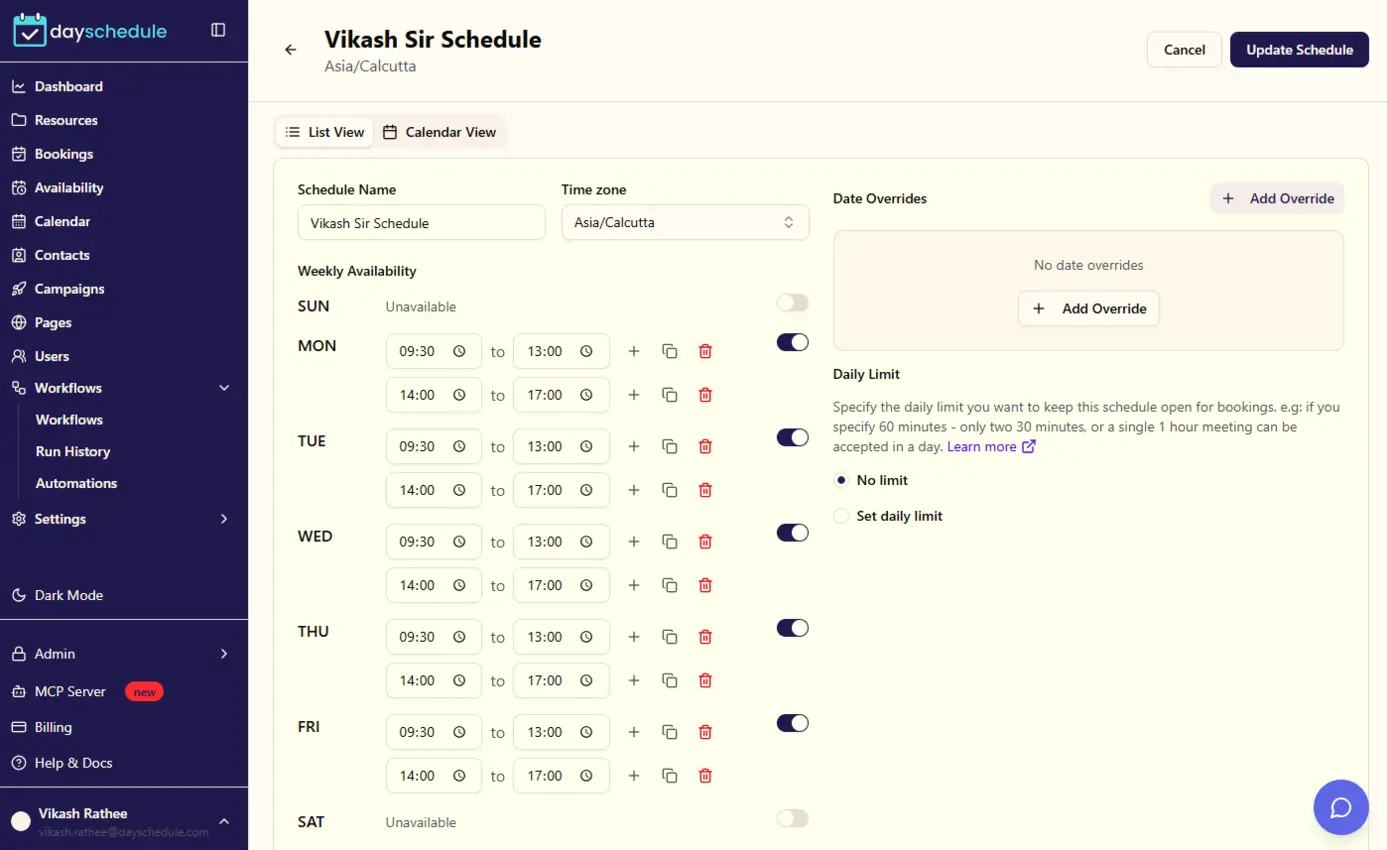
Sign up freeSet your working hours and schedules
Define weekly availability, add date overrides for holidays or days off, and let clients book only when you are actually free.
Set this up in minutes on your own DaySchedule account.
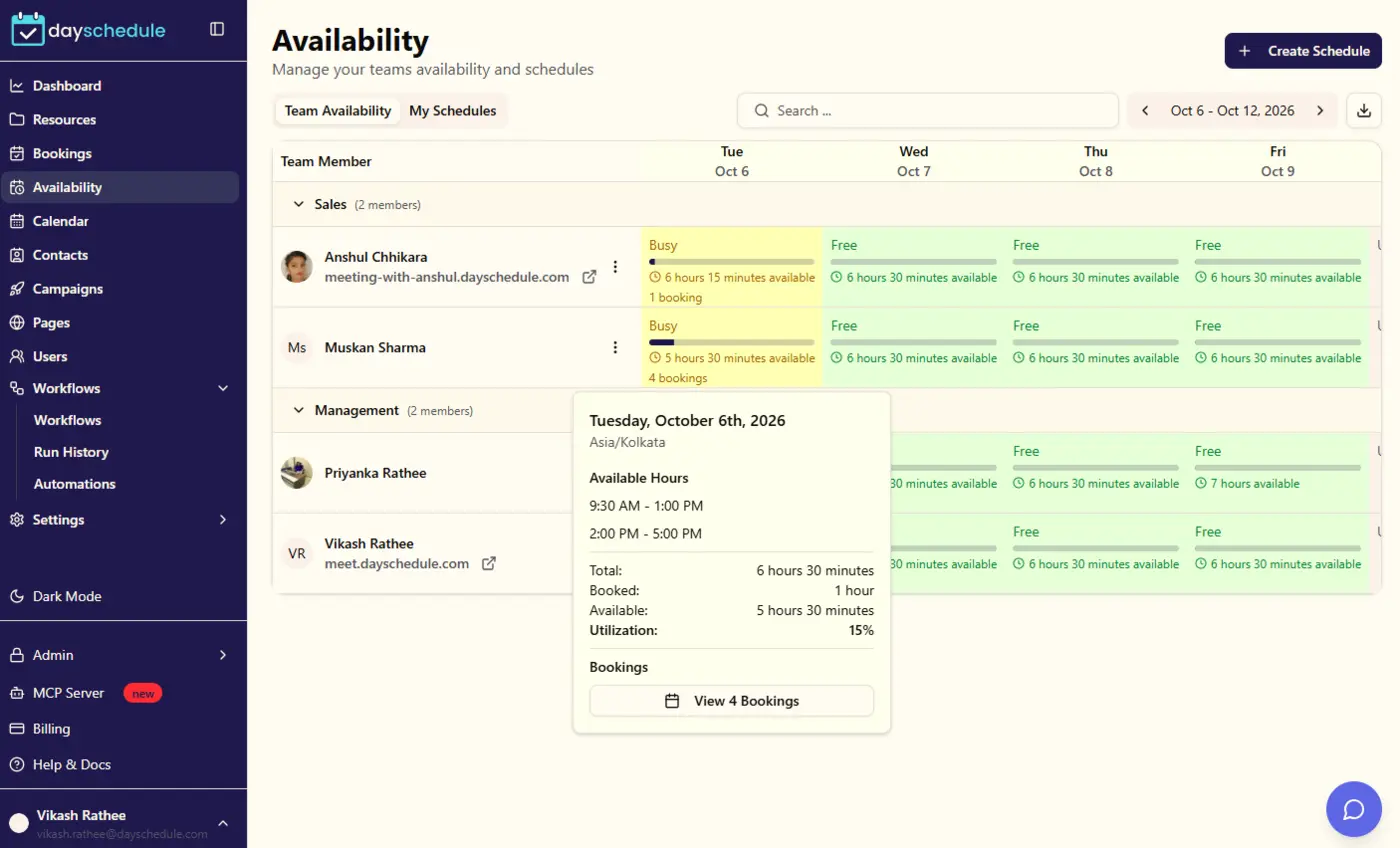
Sign up freeFind the right time across your team
Use round-robin or collective scheduling so clients can book with whichever team member is available, without any back and forth.
Set this up in minutes on your own DaySchedule account.
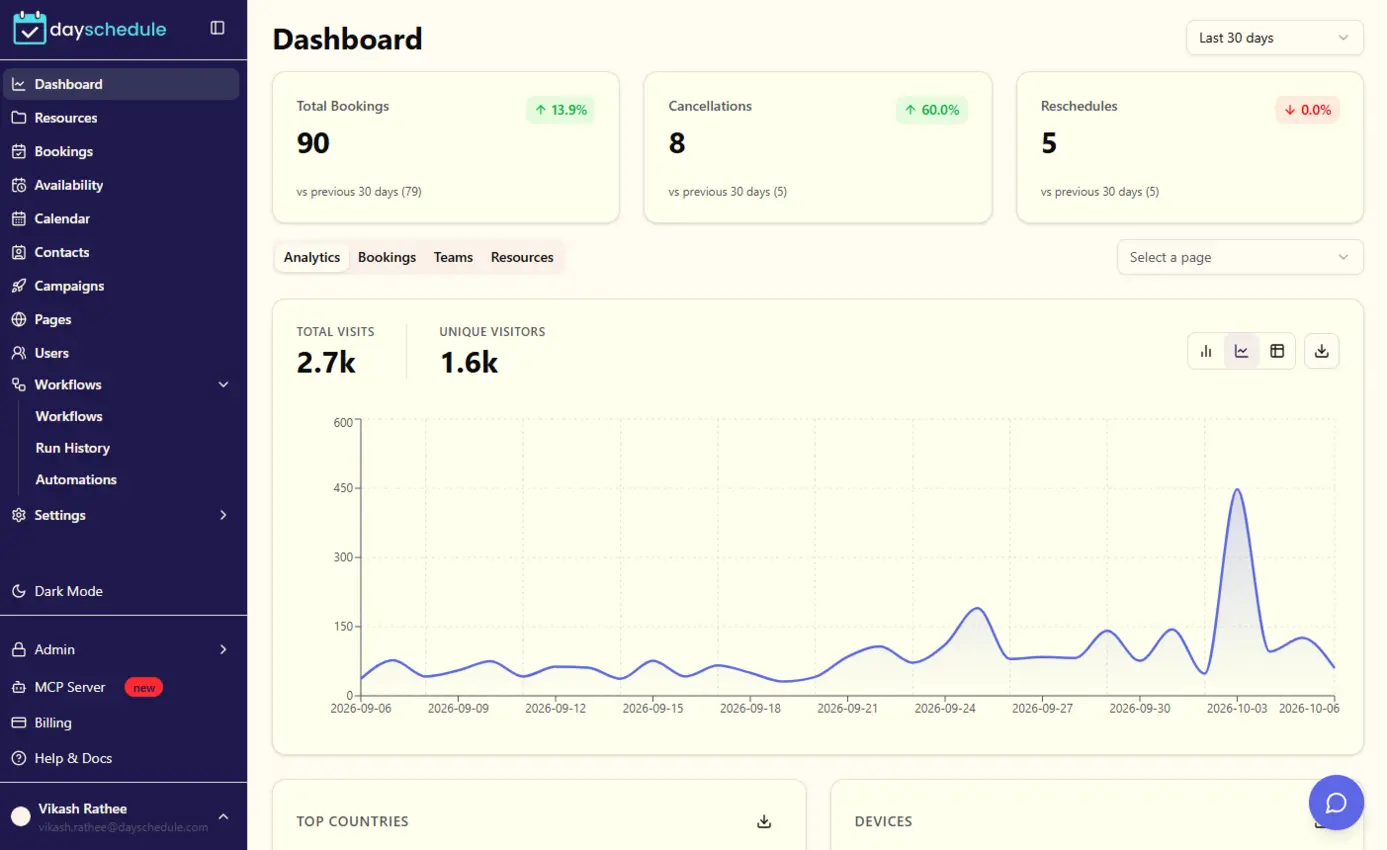
Sign up freeTrack every appointment from your dashboard
Get a clear overview of upcoming appointments, recent activity and booking trends as soon as you log in.
Set this up in minutes on your own DaySchedule account.
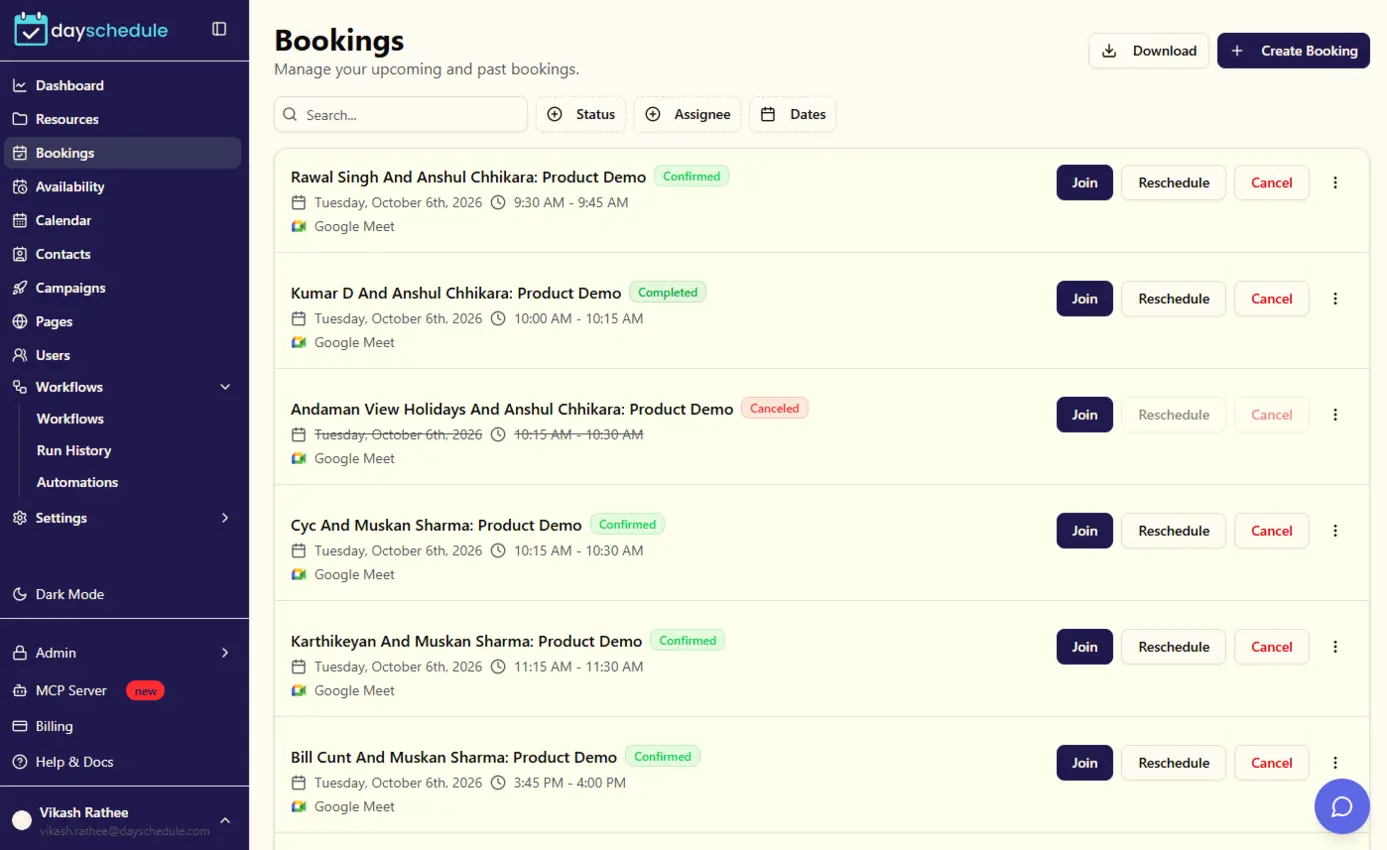
Sign up freeManage, reschedule or cancel bookings
See every upcoming and past booking, view invitee details, and reschedule or cancel appointments with a click.
Set this up in minutes on your own DaySchedule account.
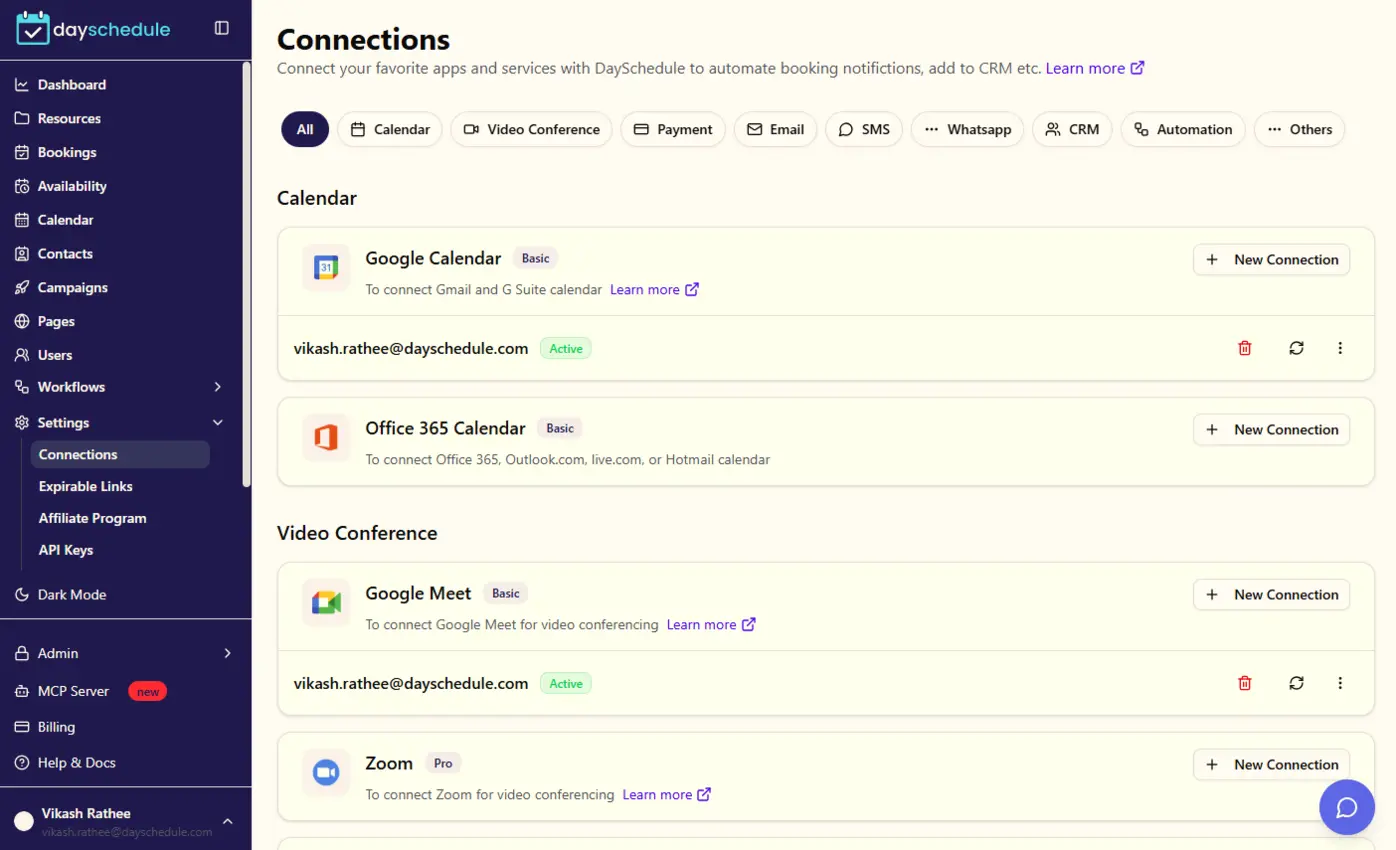
Sign up freeSync with your favorite calendars
Connect Google, Outlook or other calendars to prevent double bookings and automatically add new appointments to your calendar.
Set this up in minutes on your own DaySchedule account.
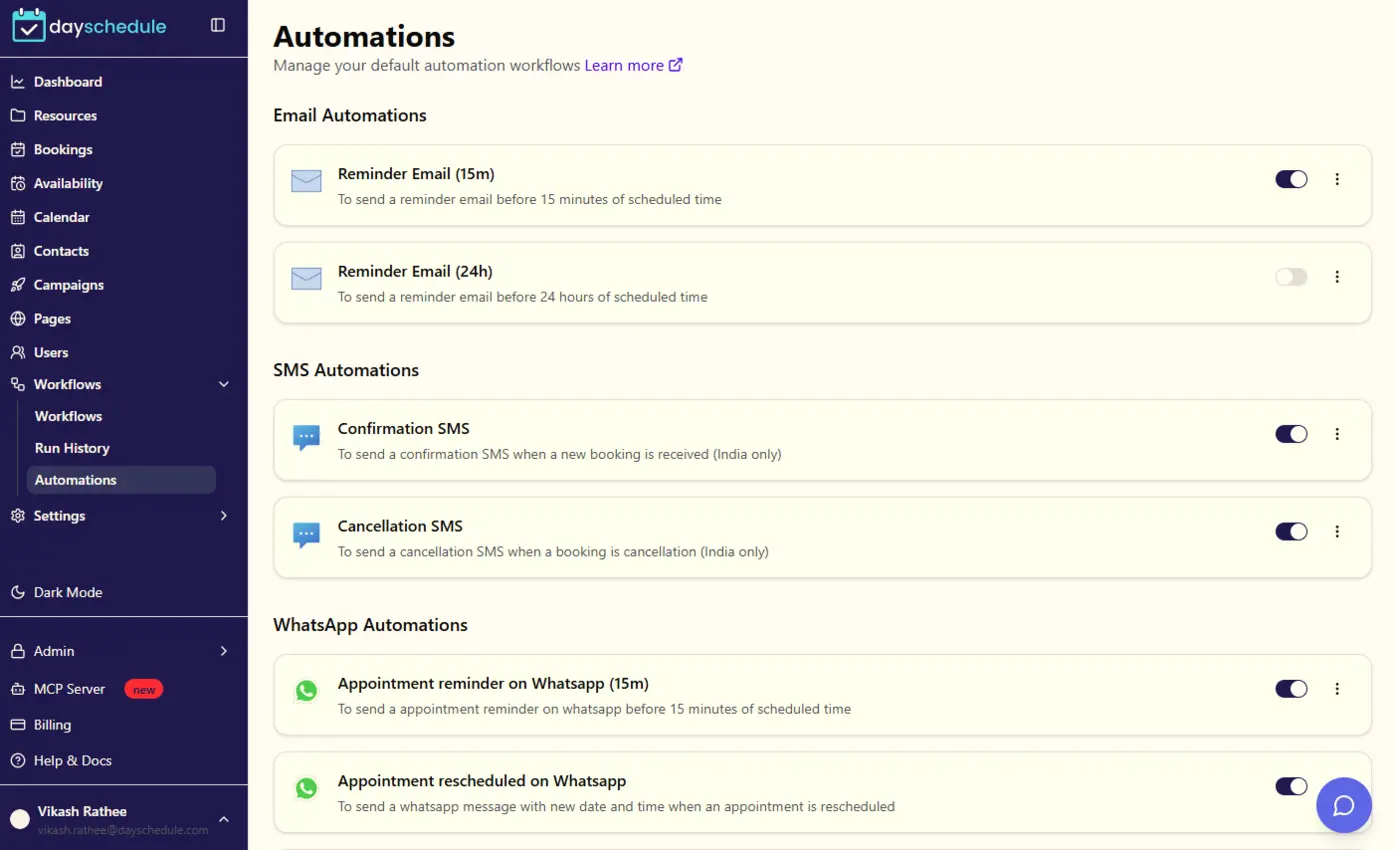
Sign up freeReduce no-shows with automatic reminders
Send confirmation and reminder emails or SMS before each appointment so clients show up on time.
Retail scheduling FAQs
Can I run bookings for several store locations?
Yes. Create a booking page for each store with its own address and opening hours, then link them from your website.
Can I embed the booking calendar on my online store?
Yes. Use the DaySchedule embed widget to add the booking calendar to Shopify, WordPress or any HTML page.
How do I create a in-store appointment booking link?
Enter your retail store name, set your available days, hours and in-store appointment duration in the generator above, choose an online or in-person location, then click Publish. DaySchedule creates a shareable booking link that shoppers can use right away.
Is DaySchedule free for retail scheduling?
Yes. The free forever plan covers 1:1 bookings with calendar sync, video conferencing, a customizable booking page and an embeddable widget. Paid plans start at $8 per user per month and add group and round robin bookings, online payments, automatic reminders and team management, with a 7-day free trial.
Will shoppers get appointment reminders?
Yes. Shoppers get an instant email confirmation with reschedule and cancel links. On paid plans, automatic reminders are sent by email, SMS or WhatsApp before each in-store appointment.
Does it sync with Google Calendar or Outlook?
Yes. Connect Google Calendar, Outlook or Office 365 and busy times are blocked on your booking page automatically, so you are never double booked.
Start taking in-store appointment bookings today
Publish your free retail booking page in minutes, then add payments, reminders, team members and your own branding when you are ready.